Presentational attributes are SVG element attributes that control how a shape looks and where it appears. In a visualization, changing attributes such as coordinates, dimensions, fill, stroke, and stroke width turns SVG elements into visible marks. section 1.2.2
Use attributes to control common SVG properties:
- Position and size: a line uses x1, y1, x2, and y2; rectangles use x, y, width, and height; circles use cx, cy, and r. section 1.2.2
- Appearance: fill sets an interior color, while stroke and stroke-width draw and size an outline. section 1.2.2
- Shape and alignment: rx and ry round rectangle corners, and text-anchor aligns text from its start, middle, or end. section 1.2.2
Style a rectangle
This rectangle is positioned at (260, 25), sized to 120 by 60 units, and filled blue: <rect x="260" y="25" width="120" height="60" fill="#6ba5d7" /> section 1.2.2
Figure 1.8 Gallery of fundamental SVG shapes that we’ll build in this section
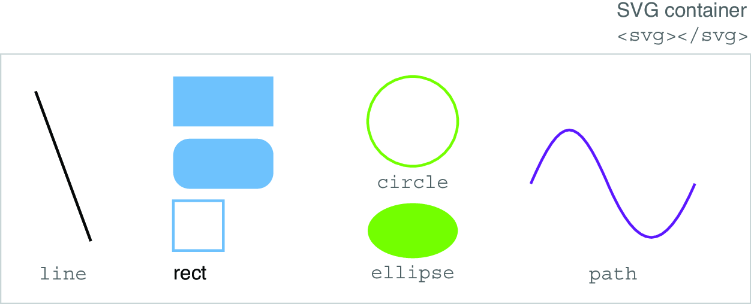
Compare the fundamental SVG shapes to see how each uses a different set of presentational attributes. section 1.2.2
