Prompt structure organizes descriptive instructions so a generative tool can interpret the intended content, audience, task, or visual style. A clear structure gives the tool more useful direction, while iteration remains necessary when the first output misses the goal. section 4.2 section 4.3.2
A practical prompt can be assembled from these parts:
- Role: tell ChatGPT who it should act as, such as an examiner grading high-school English papers. section 4.2
- Audience: specify who should understand the response, such as high-school students. section 4.2
- Task: state the action required, such as grading a text and explaining the reasoning. section 4.2
- Scenario, question, and answer count: frame a problem, ask a question, and request a defined number of possible answers. section 9.1.2
- Visual style: identify whether an image should be digital art, a photograph, or another artistic form, optionally adding environment, time, or angle. section 4.3.2
From a bare description to a directed image
A basic image description such as “a sad, poor person wearing a torn brown shirt with rubbish in the background” becomes more specific when its style is added: “digital art” produces a different result from “black and white photograph.” The same principle applies to ChatGPT: combine a role, intended audience, and task, then refine the wording when the output is not what you want. section 4.2 section 4.3.2
Figure 4.13 The output for the prompt a sad, poor person wearing a torn brown shirt with rubbish in the background, digital art
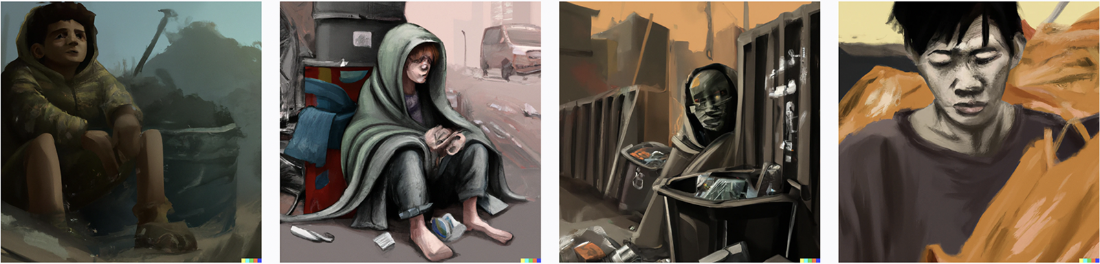
Use the figure to inspect how adding “digital art” changes the visual interpretation of the same descriptive image prompt. section 4.3.2

