A Raspberry Pi can be a cheap server for a home network. Running an LLM on one is possible, but it is a better experiment in deployment constraints than a recommendation for enterprise production: expect slow inference and a gap between what works and what is useful. section 11.1 section 11.0
For a headless LLM server, work through the constraints in order:
- Start with an 8 GB Raspberry Pi, a microSD card of at least 32 GB, and a power supply. The worked setup uses a Raspberry Pi 5; a different board may require adjustments. section 11.1
- Use Raspberry Pi Imager to write Raspberry Pi OS Lite 64-bit to the microSD card. Select the card carefully—not your computer’s main drive—and configure network access and SSH before booting. section 11.1.1
- Find the Pi’s IP address through your router or, with a monitor attached, `ifconfig` or `ip a`. Connect from a laptop using SSH rather than keeping a monitor and keyboard attached. section 11.1.2
- Update the system, install git and pip, then build llama.cpp for the Pi’s architecture. Pinning the tested git commit can reduce surprises from later repository changes. section 11.1.3
Connect and prepare the server
After identifying its address, connect with `ssh username@0.0.0.0`, replacing the placeholder address. On the Pi, begin with `sudo apt update && sudo apt upgrade -y`, then install the dependencies needed for the llama.cpp build. section 11.1.2 section 11.1.3
For inference on memory-limited hardware, quantization is required; on compute-limited hardware without an accelerator, a tool such as llama.cpp builds for the device’s architecture. Even then, edge inference may be slower than desired. A USB TPU is an alternative, but it brings model and inference-code conversion requirements; an accelerator-equipped board such as a Jetson is another option. section 11.5 section 6.4
Figure 11.1 Raspberry Pi Imager set to the correct device, with the headless (Lite) operating system and the correct USB storage device selected
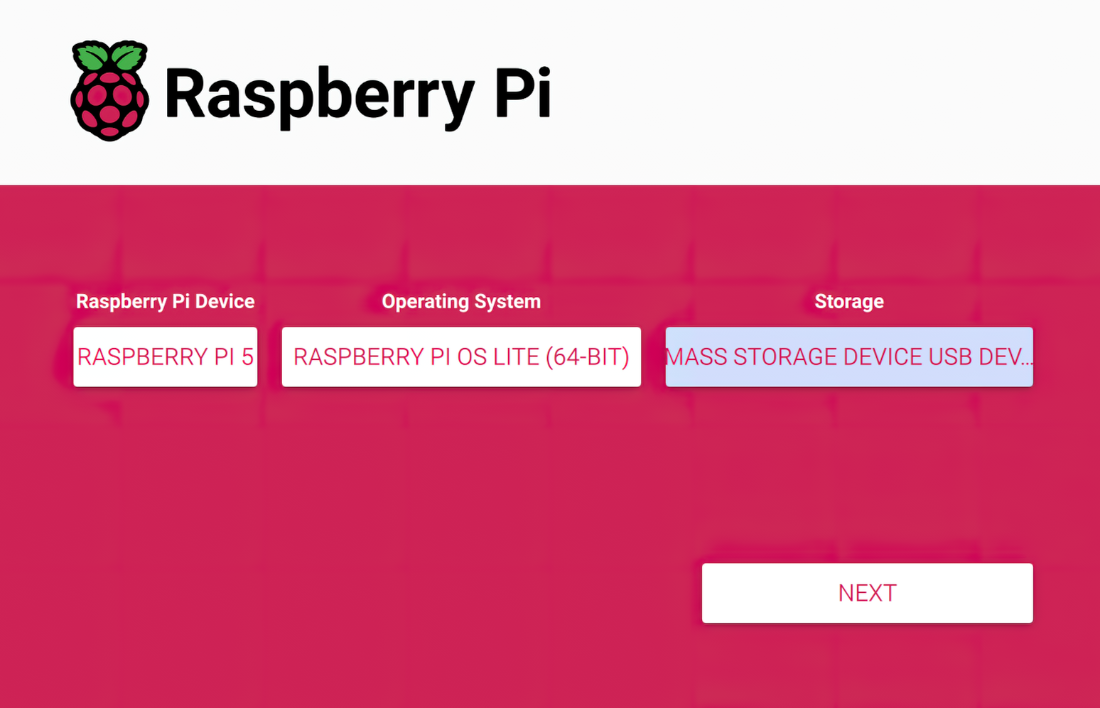
The Imager screenshot shows the three choices most worth checking before writing the card: Pi model, Lite operating system, and target storage device. section 11.1.1
