liveBook · Manning

Reserved instance

As explained in Microsoft Azure in Action

A reserved instance is a commitment to use a specified amount of cloud compute capacity for a period in exchange for discounted pricing.

A reserved instance reduces the cost of predictable Azure VM usage. You commit to using a VM for one or three years, and Azure offers a discount of up to 80%. section 1.4.3

Renting versus leasing

Renting a car suits short, uncertain use; leasing costs less per day when you commit for years. A reserved VM follows the same bargain: predictable production usage trades flexibility for lower pricing. section 1.4.3

Choose the pricing approach that matches the workload:

  • Use reserved instances for steady, long-term VM workloads. section 3.4.2
  • Use pay-as-you-go when usage is uncertain, and Spot instances when interruptions are acceptable. section 1.8 section 3.4.2
  • Check the VM price before creation; size, disks, backups, and scale sets can raise the total. section 3.4.2
Figure 3.28 Always double-check that the VM price is right.
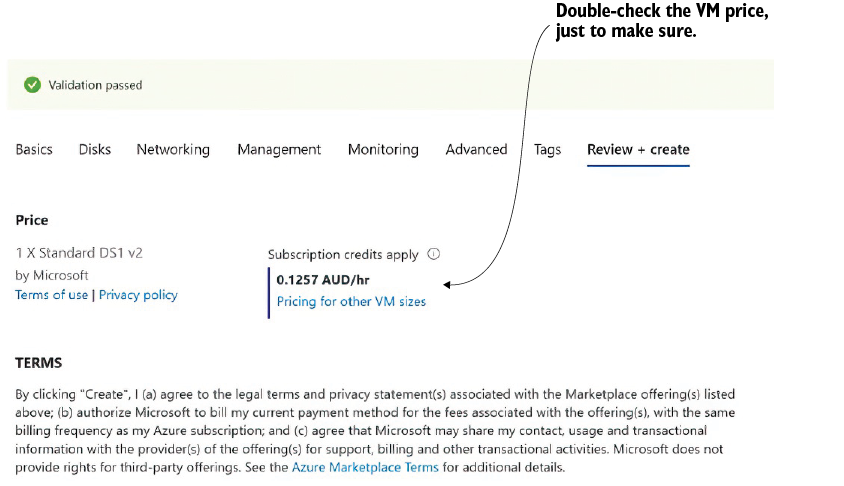
Review the displayed VM price before committing so an accidentally oversized configuration does not become an expensive surprise. section 3.4.2

How Microsoft Azure in Action covers it

How deep it goes
Explains the commitment and discount with an analogy, then contrasts reserved instances with PAYG and Spot pricing without configuration steps.
Examples
Uses production VMs, a car-leasing analogy, and a pre-creation VM price review to illustrate commitment and savings.
What it assumes
Assumes familiarity with Azure VMs and introduces reserved pricing through everyday rental and leasing language.
What you can do after
Evaluate whether predictable VM usage justifies a one-to-three-year commitment and compare it with PAYG or Spot pricing.
How it connects
Connects reserved instances to virtual machines, pay-as-you-go pricing, Spot instances, auto shutdown, and cost management.

Related concepts

This explainer was generated by Manning's knowledge graph from the text of Microsoft Azure in Action. The section links point to the parts of the book it draws on.