liveBook · Manning

Resources folder

As explained in High Performance Unity Game Development

A Unity project folder whose assets can be loaded at runtime through Unity's Resources asset-loading system.

A Unity Resources folder is a simple way to load assets at runtime when they cannot be assigned in the editor. For example, balance data generated as a binary file at tool time can be stored there and loaded by the game. section 7.2.4

The folder is read-only at runtime, and its assets are included in the build. It can also become difficult to organize, so it is a good fit for a small, specific set of assets—not necessarily a growing collection. section 7.2 section 7.2.4

Figure 7.9 The flow in which we create our balance data binary file.
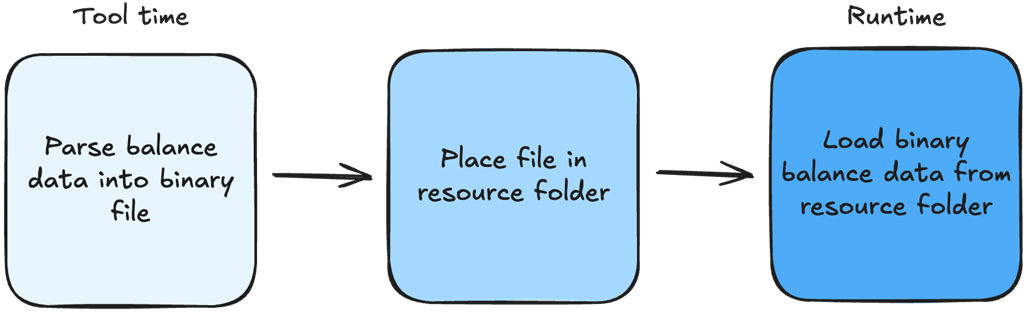
Shows the tool-time creation flow for the balance-data binary loaded at runtime. section 7.2.4

How High Performance Unity Game Development covers it

How deep it goes
Explains runtime use, build inclusion, organization, and read-only constraints, without detailing loading code.
Examples
Uses a tool-generated balance binary as a single asset loaded at runtime.
What you can do after
Apply Unity's Resources system to load tool-generated balance data at runtime.
How it connects
Contrasts editor assignment with asset bundles and Addressables as alternative asset-loading approaches.

Related concepts

This explainer was generated by Manning's knowledge graph from the text of High Performance Unity Game Development. The section links point to the parts of the book it draws on.