Responsive web design adapts layout and presentation to common screen sizes and interaction modes, including desktop, tablet, mobile, mouse, and touch. For data visualizations, responsiveness requires more than text wrapping or image resizing: encoding, scales, annotations, and chart structure may need to change. section 9.1
Figure 9.1 In July 2023, mobile devices accounted for 56% of the overall traffic on the internet, desktops 42%, and tablets 2%. (Source: Statcounter)
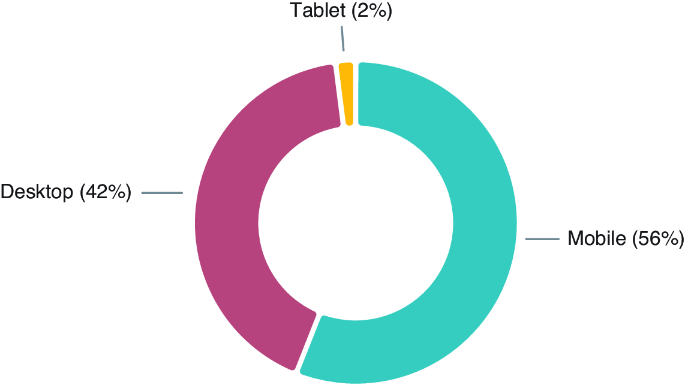
Mobile access makes responsive visualization important: the July 2023 internet traffic breakdown shows mobile devices at 56%, desktops at 42%, and tablets at 2%. section 9.1
Choose a strategy and adapt the visual result to the available space:
- Use a mobile-first approach when the smallest screen and touch interaction should establish the design baseline. section 9.1
- Use a desktop-first approach when the wider layout establishes the primary visual structure. section 9.1
- Dynamically resize labels, reduce axis ticks, and remove secondary information as screen width decreases. section 9.5
- Use responsive grids for collections of visualizations or mixed visualization-and-text layouts, and change mainly horizontal charts to a phone-friendly orientation when appropriate. section 9.0 section 9.5
Treat responsiveness as an accessibility requirement. Preserve an equivalent experience across screen sizes, keep legends and plots readable on small screens, and avoid generic inline styles that override user stylesheets. section 10.2.5 section 10.3






