A sandbox is a restricted environment where code and tools can run without unrestricted access to the surrounding system. Its practical boundary depends on where it runs and what access you grant. section 2.1 section 3.1
On Claude’s web and mobile interfaces, tools run in a temporary cloud sandbox when a session needs code execution. Claude cannot see your local files unless you upload them, and you must download outputs you want to keep. Web search also runs in the cloud. section 2.1
Figure 2.1 How Claude works on the web and mobile — your prompts are routed to the model in Anthropic’s cloud; Claude can search the web and run tools in a temporary sandbox, but has no direct access to your machine or local network. You upload input files and download output files manually.
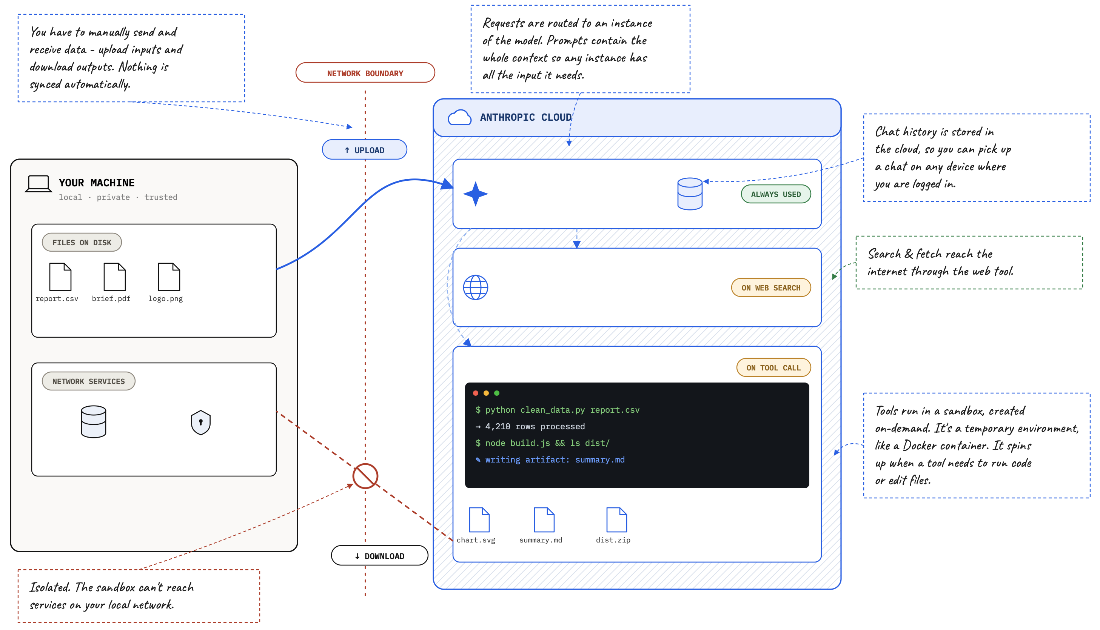
Trace the boundary between the cloud sandbox and your machine, including manual file transfers. section 2.1
A Claude Desktop Cowork task uses a different arrangement: the model reasons in the cloud, while a restricted sandbox runs on your machine. It can run commands, navigate folders you permit, read inputs, and write real files to disk. section 3.1
Figure 3.1 The model stays in the cloud while Cowork runs a sandbox on your machine
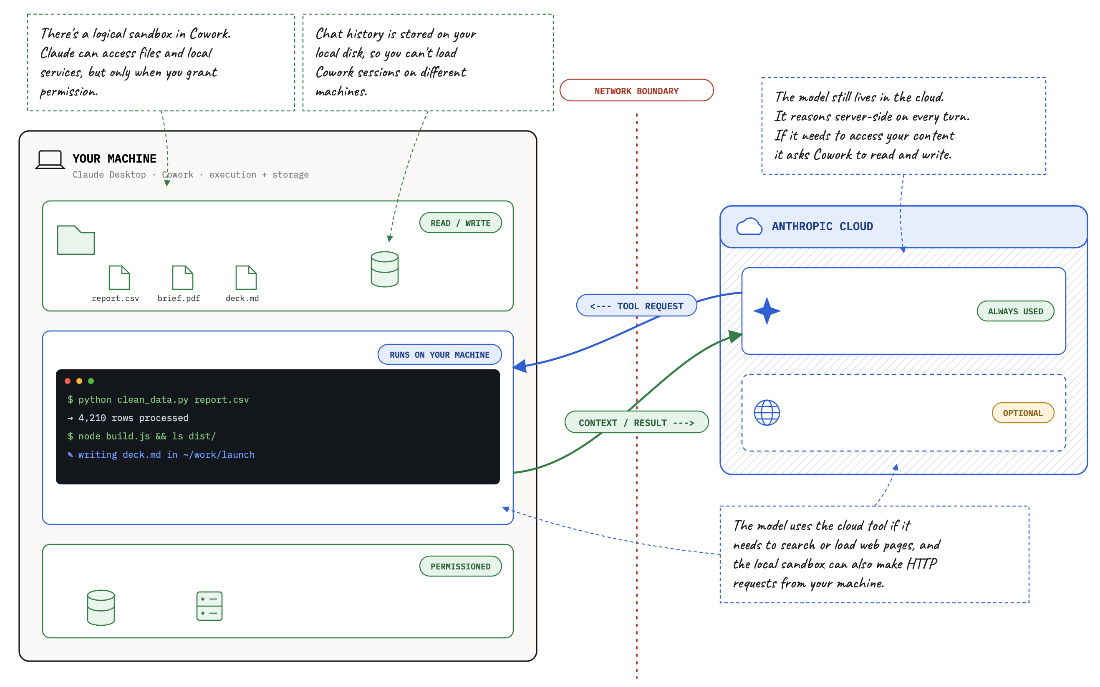
Separate the cloud model from the local sandbox that carries out its work. section 3.1
Test local folder access
In Cowork, ask: “How many files do I have in my downloads folder?” Claude asks permission to access the folder and runs commands to answer. Then ask it to create a summary.md file there with the file count and storage used. Folder access may already be granted, but the operating system can still request permission to write. For regular work, prefer a specific task folder over a broad folder such as Downloads. section 3.2
Run a local data analysis
Given access to a folder of dataset ZIP files, Claude can extract them, inspect CSV structure, and write analysis code for the sandbox to run. In one workflow, it used Python, pandas, and SciPy, then saved a report to the folder. Review the findings: the model also supplied population estimates from its training data when it assumed it could not download a CSV. section 3.3