Scope is the container that controls where PowerShell names—especially aliases, variables, and functions—can be accessed. The interactive shell is the global scope. Each running script creates a child script scope, and functions create their own private scopes. A scope lasts only while its work runs; when it ends, its contents disappear. section 19.7
When PowerShell cannot find a name in the current scope, it searches the parent scope and continues upward toward global scope. This explains why a script can see a value from its calling session, while values created inside the script normally stay there. For example, a script containing Write $x produces no output when $x has not been defined in either the script or global scope. section 19.7
Keep defaults inside a script
Setting $PSDefaultParameterValues at the command line affects commands and scripts run in that PowerShell session. Setting it inside a script limits those defaults to work performed by that script, so the surrounding shell and other scripts are not changed. section 26.6
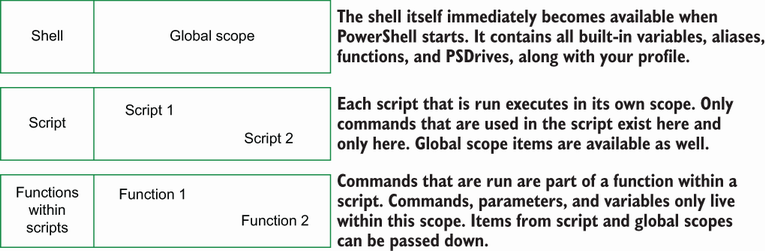
Use the scope relationship figure to compare global, script, and private function scopes as nested parent and child containers. section 19.7




















