A D3 selection grabs one or more document elements and holds them ready for manipulation. Start with d3.select() for the first matching element or d3.selectAll() for every match. section 2.3
Use selections to build and modify visualizations:
- Choose elements with CSS-style tag, class, ID, descendant, or comma-grouped selectors. section 2.3
- Append HTML or SVG nodes with selection.append(), adding the new node as the selection’s last child. section 2.4
- Set SVG attributes such as viewBox, position, size, fill, and stroke with chained selection.attr() calls. section 2.5
- Combine selections with data binding and joins when generating repeated marks such as circles. section 11.2.2
Create an SVG drawing surface
const svg = d3.select(".responsive-svg-container") .append("svg") .attr("viewBox", "0 0 1200 1600"); svg.append("rect") .attr("x", 10) .attr("y", 10) .attr("width", 414) .attr("height", 16) .attr("fill", "turquoise"); The first chain selects a container, appends an SVG element, and configures its coordinate system. The second appends and styles a rectangle, producing a visible chart element. section 2.4 section 2.5
Figure 2.4 The select() method
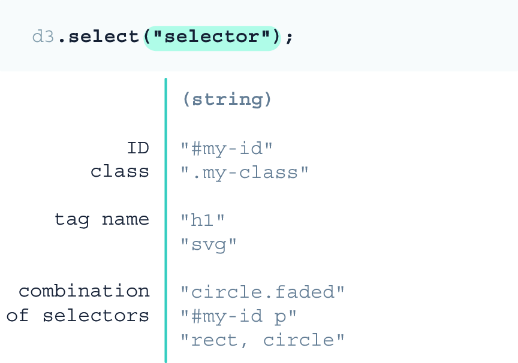
Inspect the select() method’s element-selection pattern before extending it with append() and attr(). section 2.3
