liveBook · Manning

Service

As explained in Google Anthos in Action

A Kubernetes Service is a resource that provides a stable network endpoint for accessing workloads within a cluster.

A Kubernetes Service gives applications a stable name for reaching Pods. Pod IP addresses are ephemeral and can change when Pods are replaced, so clients should target the Service name instead. The Service uses endpoints to direct traffic to the Pods running the application. section 3.2.6

Services are namespaced. Their DNS names include both the Service and namespace: services named `myweb1` and `myweb2` in `sales` can be reached as `myweb1.sales.svc.cluster.local` and `myweb2.sales.svc.cluster.local`. section 3.2.6

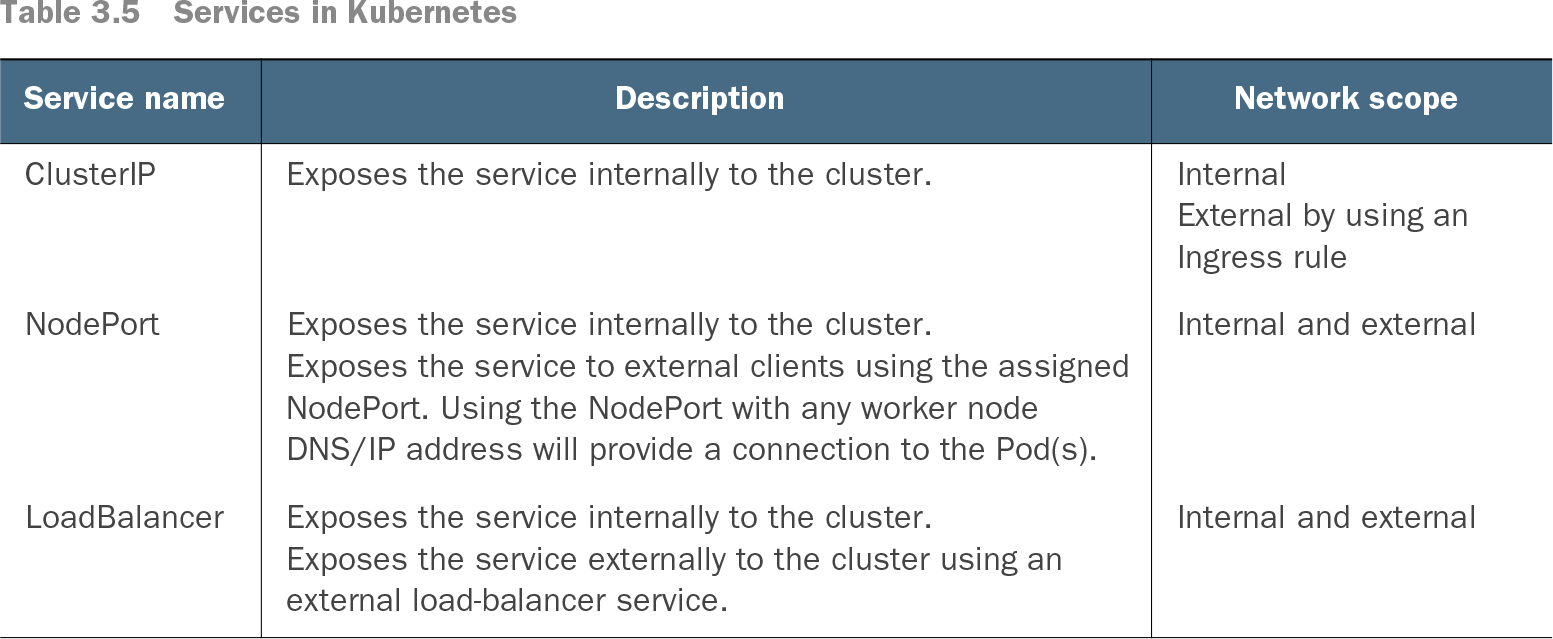
Table 3.5 Services in Kubernetes (view table figure)

Service name

Description

Network scope

ClusterIP

Exposes the service internally to the cluster.

InternalExternal by using an Ingress rule

NodePort

Exposes the service internally to the cluster.Exposes the service to external clients using the assigned NodePort. Using the NodePort with any worker node DNS/IP address will provide a connection to the Pod(s).

Internal and external

LoadBalancer

Exposes the service internally to the cluster.Exposes the service externally to the cluster using an external load-balancer service.

Internal and external

Compare Service types by network scope: ClusterIP is internal, NodePort also accepts connections through a worker node’s address, and LoadBalancer uses an external load balancer. An Ingress rule can expose a ClusterIP Service externally. section 3.2.6

Preview a Service in minikube

Start minikube, create the example Deployment, and expose it as a NodePort Service: `minikube start` `kubectl create deployment hello-minikube --image=k8s.gcr.io/echoserver:1.4` `kubectl expose deployment hello-minikube --type=NodePort --port=8080` Check it with `kubectl get services hello-minikube`. Then run `kubectl port-forward service/hello-minikube 8080:8080` and open `http://localhost:8080`. section 12.3.1

During VM migration, preserving hostnames as Service names can keep naming consistent. If a VM runs multiple applications, consider a separate Service for each. For applications that depend on an external backend, consider an ExternalName Service without a selector. Place codependent Pods in a namespace when useful, and use NetworkPolicy to restrict access between them. section 15.5


How Google Anthos in Action covers it

How deep it goes
Explains DNS naming, endpoint routing and network-scope options, then demonstrates exposure and port forwarding without detailing Service internals.
Examples
Uses namespaced Service DNS names and a minikube Deployment exposed through NodePort and accessed by local port forwarding.
What it assumes
Assumes familiarity with Kubernetes environments for migration guidance; supplies a concrete minikube sequence for previewing a Service.
What you can do after
Operate/configure it with kubectl to expose a Deployment, verify its Service and forward it to a local port.
How it connects
Connects Services to Pods, endpoints, namespaces, DNS, Ingress and NetworkPolicy.

Also explained in

Compare how 12 books explain service →

Related concepts

This explainer was generated by Manning's knowledge graph from the text of Google Anthos in Action. The section links point to the parts of the book it draws on.