A Kubernetes Service gives dynamically created workloads a stable network identity. It groups matching pods behind one logical endpoint, so clients can connect using the Service name instead of tracking changing pod IP addresses. section 10.6
A Service supports application communication by providing:
- Name-based discovery: connecting to the Service name reaches the associated workloads. section 10.6
- Logical grouping: the Service represents a set of pods rather than one fixed instance. section 10.6
- Optional load balancing across Service instances, handled by Kubernetes. section 10.6
- Declared exposure through generated Kubernetes manifests alongside a Deployment and, optionally, a ServiceMonitor. section 11.3.3
Expose the Inventory service
Adding the Quarkus Kubernetes extension and building the application generates Kubernetes YAML. The Service can expose HTTP on port 80 and forward it to the application on port 8083, while gRPC uses port 9000 and targetPort 9000. Apply the manifest with kubectl apply -f inventory-service/target/kubernetes/kubernetes.yml, then inspect the pods and use port-forwarding when testing locally. section 11.3.3
Figure 10.16 Communication between pods via a Kubernetes service proxy
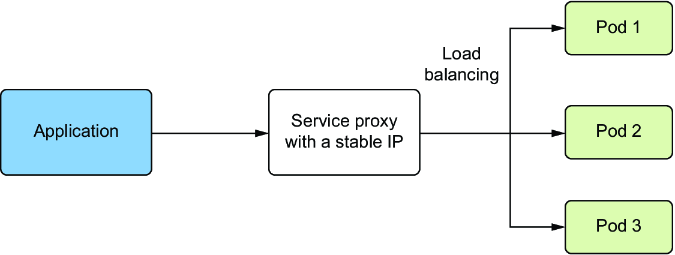
A communication diagram shows how one pod reaches another through the Kubernetes Service proxy. section 10.6











