A stateful React component maintains state and re-renders when that state changes. React Developer Tools exposes this state for inspection and direct manipulation, making state behavior easier to diagnose. section 4.4.3
Use the components inspector with these constraints:
- Inspect state held by useState or useReducer and change its value directly; the component re-renders as though its setter updated the state. section 4.4.3
- Inspect context state through a consumer, but update it through the nearest context provider rather than the consumer. section 4.4.3
- Treat inspector edits as temporary debugging changes: a parent re-render can overwrite them with the application’s actual values. section 4.4.3
Figure 4.14 When you’re inspecting a stateful component with a useState or useReducer hook, you can interact with the state directly through the components inspector. You can manipulate the value, just as you can manipulate properties, as shown in figure 4.12.
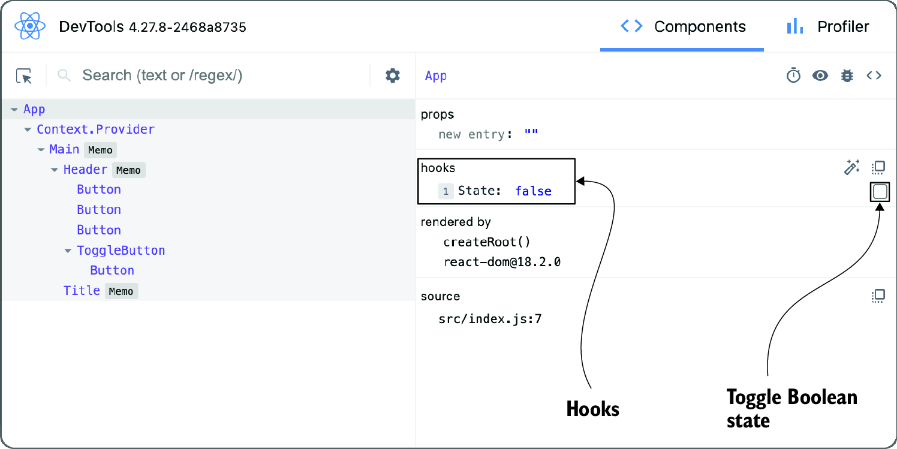
Shows direct interaction with useState or useReducer values in the components inspector. section 4.4.3













