A login form needs to remember what a user typed so it can show errors or send the values when they click Send. An application whose behavior or display depends on changing values is stateful. In React, components hold that state: a component can produce different JSX as its state changes. A component without its own state can still change when its parent passes new properties. section 5.0 section 5.1.1
A counter that remembers clicks
A functional component can keep a count with `useState`: `const [counter, setCounter] = useState(0);` Display `counter`, then put `onClick={() => setCounter(value => value + 1)}` on an Increment button. The first array element is the current value; the second is its setter. The initial value is used only the first time, so changing a later `start` property does not, by itself, reset the count. section 5.2.2 section 5.2.3
State does not have to live in every component. A clock can keep its own time and update itself, or receive the time as a property from a stateful parent. Either way, the changing value must be held somewhere in the component tree. section 5.1 section 5.1.1
When several components need a value, keep it in a component that can pass the value and its setter to the relevant children as properties. In a to-do application, the parent holds task and filter state while child components render tasks and filter buttons. A child can then request an update without holding that shared state itself. section 5.2.7
Figure 5.33 The component tree of our multicomponent to-do application. We render a variable number of Task instances, one for every item in the list, and always exactly two filter buttons.
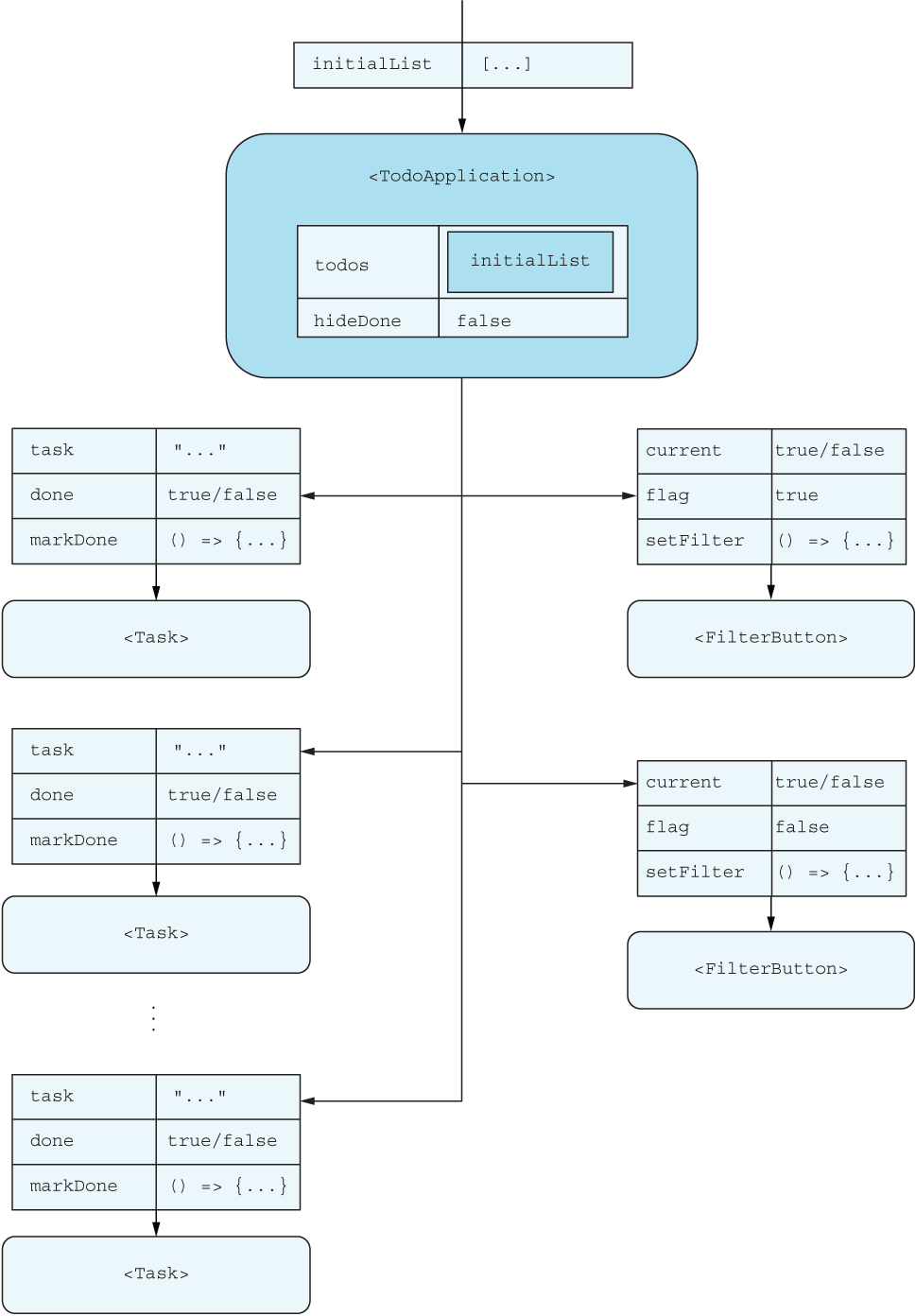
The component tree shows how one stateful parent can supply properties to filter buttons and a variable number of task components. section 5.2.7
Class-based components can be stateful too: they keep values on `this.state` and update them with `setState`. Functional components use separate `useState` calls and setters. Both approaches initialize, display, and update state, but their syntax and behavior differ; converting between them may take more than a small edit. section 5.3 section 5.6













