Step Into advances execution one statement at a time and enters every called procedure or function, pausing at its first statement. Use F11 when the error may be inside a lower-level routine. section 7.3
Tracing a divide-by-zero error
Execute dbo.CalculateCampaignSummary with the debugger, then press F11. Watch parameters and variables change in the Locals window. Stepping to the calculation reveals that @AvgCPM is zero before @AvgBidPrice is divided by it. Use the Immediate window to count matching aggregate rows and investigate why the query returns 42 rows. section 7.3
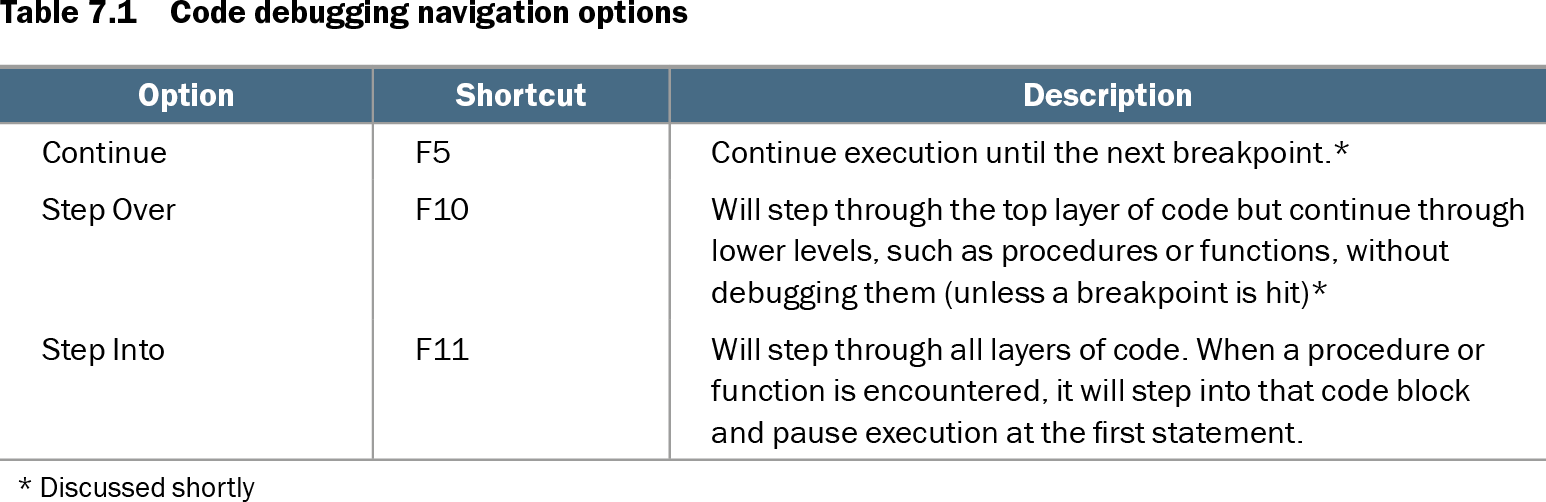
Table 7.1 Code debugging navigation options (view table figure)
| Option |
Shortcut |
Description |
|---|---|---|
| Continue |
F5 |
Continue execution until the next breakpoint.* |
| Step Over |
F10 |
Will step through the top layer of code but continue through lower levels, such as procedures or functions, without debugging them (unless a breakpoint is hit)* |
| Step Into |
F11 |
Will step through all layers of code. When a procedure or function is encountered, it will step into that code block and pause execution at the first statement. |
| * Discussed shortly |
||
Compare Step Into with Continue and Step Over, including their keyboard shortcuts and treatment of called procedures. section 7.3