Step into is a debugger navigation operation that enters a method called by the current execution line. It opens a deeper investigation path so you can follow the instruction’s complete execution and observe how data changes. section 2.2.2
Use step into when:
- A line calls a method whose behavior is unclear. section 2.2.2
- You need to inspect the new execution layer in the stack trace. section 2.2.2
- You cannot deduce a line’s behavior by stepping over it; otherwise, prefer step over and limit investigation paths. section 2.4
Inspecting a digit extractor
Pause at `var digits = new StringDigitExtractor(s).extractDigits();`. Step into the line to inspect `extractDigits()` and follow its execution. When the logic becomes clear, use step out to return to the calling method. section 2.2.2
Figure 2.17 Stepping into allows you to observe the entire execution of the current instruction. This opens a new investigation plan, allowing you to parse the logic behind that particular instruction. You can use the execution stack trace to retrace the execution flow.
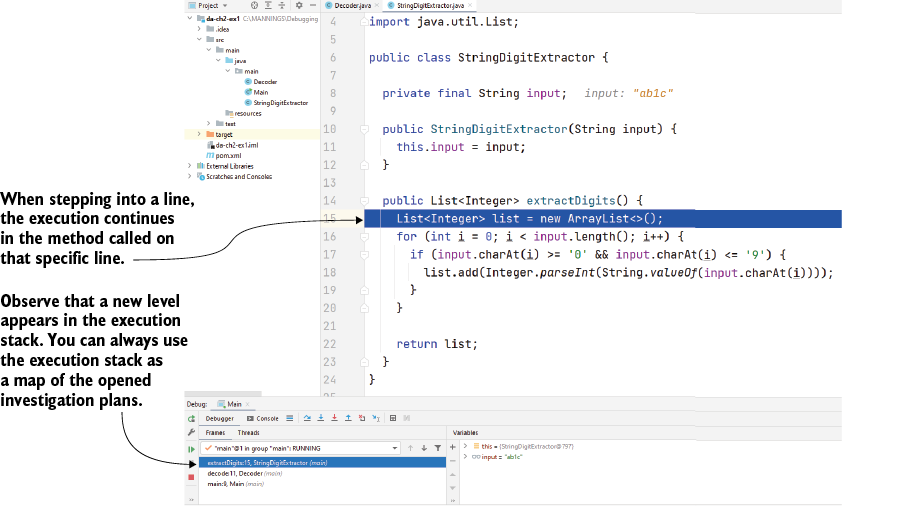
Visualizes step into as a new investigation plan and shows how the execution stack trace retraces the flow. section 2.2.2



