The summary element provides the visible title or description for an accordion. It appears first while the accordion is collapsed and gives visitors a clear place to click. section 5.2.1
Clicking the summary text or its arrow expands the details element to reveal the associated content. Clicking it again hides that content. section 5.2.1
Journal entry accordion
Use each entry title as the summary text, then place the entry date and entry text inside the details element. A practical generation request is: “Make each entry an accordion using the HTML summary and details elements.” section 5.2.3
A summary element helps an accordion:
- Show only a short title or description before visitors open the item. section 5.2.1
- Signal that more content is available with a right-pointing arrow that changes direction when expanded. section 5.2.1
- Fit several posts on one page without overwhelming visitors with all the content at once. section 5.2.1
Figure 5.2 A web page with four accordions, each of which displays only its summary text

Compare four collapsed accordions to see how each summary element acts as the visible entry title. section 5.2.1
Figure 5.3 Clicking the first summary element opens the accordion to display its full content.
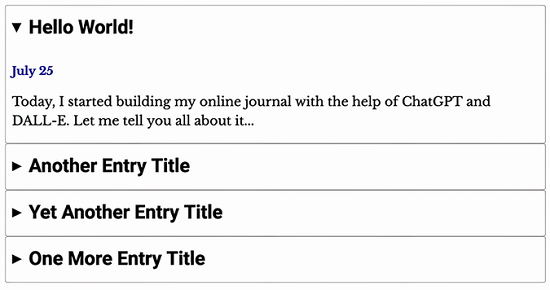
Follow the first summary element from its collapsed state to the expanded view containing the full accordion content. section 5.2.1
