liveBook · Manning

Systemd

As explained in Podman in Action: Secure, rootless containers for Kubernetes, microservices, and more

systemd is a Linux init system and service manager that starts, supervises, and stops system services.

systemd is Linux’s init system and service manager. As the first process after the kernel, it launches services, tracks their processes, and manages their lifecycles through unit files. section 1.3.7 section 7.0

Podman integrates with systemd rather than requiring a daemon to control containers. A systemd service can start, stop, restart, and supervise a container, while systemd tracks its processes in the service’s cgroup hierarchy. section 7.0 section 7.3

systemd integration supports several operational patterns:

  • Run systemd as PID 1 inside a container so it can launch multiple services from their unit files. section 7.1
  • Use socket activation and service-ready notifications for containerized applications. section 1.3.7
  • Start containers at boot through systemd units or Podman restart policies such as always and unless-stopped. section 7.3 section 7.3.1
  • Use journald for container logs and events, and generate unit files with podman generate systemd. section 7.7

Containers running systemd need an environment that matches its expectations. Podman supplies tmpfs mounts for /run, /tmp, and journald storage, sets the container environment marker, and uses SIGRTMIN+3 as the stop signal so systemd shuts down correctly without granting CAP_SYS_ADMIN. section 7.1.1 section 7.1.2

Inspect a systemd-enabled container

Create a debugging container with podman create --rm --name SystemD -ti --systemd=always ubi8-init sh. Inspect its stop signal with podman inspect SystemD --format '{{ .Config.StopSignal}}', then verify /run and /tmp are tmpfs mounts. Running ubi8-init launches systemd as PID 1. section 7.1.2

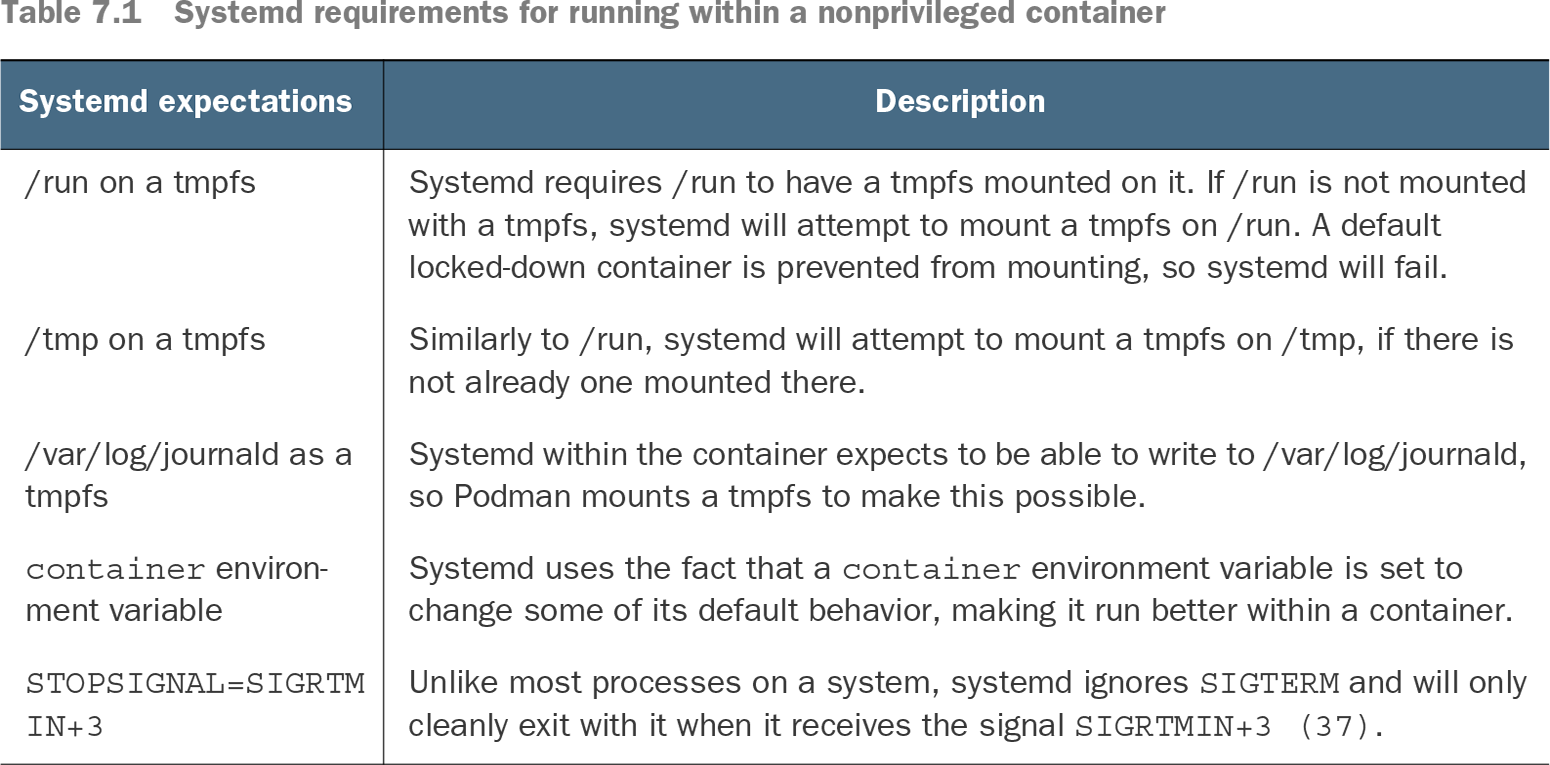
Table 7.1 Systemd requirements for running within a nonprivileged container (view table figure)

Systemd expectations

Description

/run on a tmpfs

Systemd requires /run to have a tmpfs mounted on it. If /run is not mounted with a tmpfs, systemd will attempt to mount a tmpfs on /run. A default locked-down container is prevented from mounting, so systemd will fail.

/tmp on a tmpfs

Similarly to /run, systemd will attempt to mount a tmpfs on /tmp, if there is not already one mounted there.

/var/log/journald as a tmpfs

Systemd within the container expects to be able to write to /var/log/journald, so Podman mounts a tmpfs to make this possible.

container environment variable

Systemd uses the fact that a container environment variable is set to change some of its default behavior, making it run better within a container.

STOPSIGNAL=SIGRTMIN+3

Unlike most processes on a system, systemd ignores SIGTERM and will only cleanly exit with it when it receives the signal SIGRTMIN+3 (37).

Use the requirements table to check the mounts, environment marker, logging path, and stop signal needed for systemd in an unprivileged container. section 7.1.1


How Podman in Action: Secure, rootless containers for Kubernetes, microservices, and more covers it

How deep it goes
Explains PID 1, cgroup tracking, container mounts, stop signals, restart policies, and inspection commands, with generated units treated as an operational feature.
Examples
Uses ubi8-init, systemd-mode inspection, tmpfs mounts, SIGRTMIN+3, restart policies, and generated service units.
What it assumes
Assumes Linux process and container concepts while teaching systemd’s init role, unit files, PID 1 behavior, and container-specific requirements.
What you can do after
Operate/configure Podman containers at boot, supervise their processes, restart failures, inspect systemd mode, and run multiple services inside containers.
How it connects
Connects Linux processes, containers, Podman, cgroups, journald, socket activation, service notifications, and systemd unit files.

Also explained in

Compare how 3 books explain systemd →

Related concepts

This explainer was generated by Manning's knowledge graph from the text of Podman in Action: Secure, rootless containers for Kubernetes, microservices, and more. The section links point to the parts of the book it draws on.