A template engine generates configuration or other output by substituting values into a parameterized template. In Kubernetes, Helm uses templated YAML to package and install applications without rebuilding every manifest manually. section 5.3.1
Use the engine operationally to:
- Package multiple YAML manifests as a Helm chart that controls application installation. section 5.3.1
- Provide deployment-specific values through a values file instead of editing each manifest. section 5.3.1
- Install charts from public or private repositories using the cluster's kubeconfig. section 5.3.1
Installing a chart with values
Add a repository, search for a chart, and install it with customized values: helm repo add metallb https://metallb.github.io/metallb; helm search repo metallb; helm install metallb metallb/metallb --values values.yaml. Verify the result with helm ls and its deployed status. section 5.3.1
Figure 5.19 How to create a values file and apply values to Helm for a pod manifest
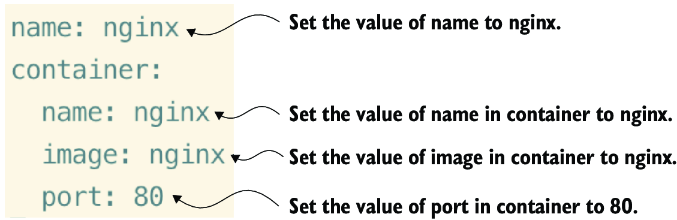
Compare a values file with the Helm command that applies those values to a pod manifest. section 5.3.1




