A unit test project is a separate .NET project that contains automated tests for application components. Keeping tests separate lets you deploy the application without deploying its tests, while preserving a project reference to the application code. section 6.0 section 6.2
Set up the project around these practical choices:
- Name it with the convention <ApplicationName>.Tests, such as SimpleApp.Tests. section 6.2
- Create it from a framework template: mstest, nunit, or xunit. XUnit is a reasonable default when no framework preference exists. section 6.2
- Add the test project to the solution and reference the application project so tests can exercise its classes. section 6.2
- Remove the template's default UnitTest1.cs file when it would interfere with later examples. section 6.2
Create SimpleApp.Tests with the .NET CLI
Run these commands from the Testing folder: dotnet new xunit -o SimpleApp.Tests --framework net7.0; dotnet sln add SimpleApp.Tests; dotnet add SimpleApp.Tests reference SimpleApp. Remove the generated class with Remove-Item SimpleApp.Tests/UnitTest1.cs when necessary. section 6.2
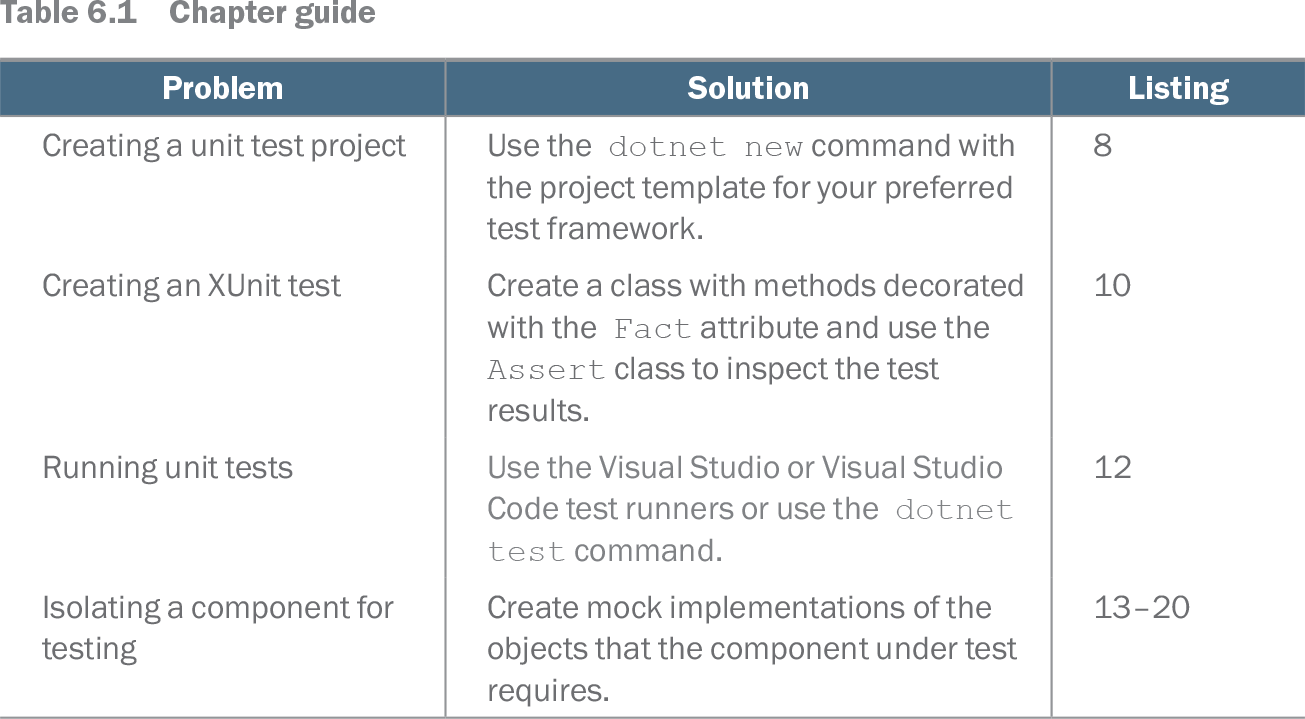
Table 6.1 Chapter guide (view table figure)
| Problem |
Solution |
Listing |
|---|---|---|
| Creating a unit test project |
Use the dotnet new command with the project template for your preferred test framework. |
8 |
| Creating an XUnit test |
Create a class with methods decorated with the Fact attribute and use the Assert class to inspect the test results. |
10 |
| Running unit tests |
Use the Visual Studio or Visual Studio Code test runners or use the dotnet test command. |
12 |
| Isolating a component for testing |
Create mock implementations of the objects that the component under test requires. |
13–20 |
Use the chapter guide to navigate from project creation to writing, running, and isolating unit tests. section 6.0
Tests usually live in C# classes as methods, with the framework supplying features such as assertions. A useful workflow is arrange, act, assert; run tests through Visual Studio, Visual Studio Code, or dotnet test. Mocking packages such as Moq can simplify isolation when components have dependencies. section 6.4