Usability is how easily and effectively people can use a website or application to accomplish their goals. It contributes to user experience alongside usefulness, findability, value, desirability, credibility, and accessibility. section 3.2
Good usability helps users understand what to do, move through planned flows, and reach primary content without obstruction. Visual enhancements should support these goals rather than compensate for a difficult core experience. section 7.0 section 7.1.1
Use these practical checks when designing or changing an experience:
- Add animation only when it informs users, demonstrates a function, guides a flow, or makes an important cue more obvious. section 7.0 section 7.1.1
- Respect personal settings such as reduced motion, and ensure the site remains usable without animation. section 7.0
- Test interactive prototypes and replacement designs with users before release, then prioritize observed problems and revise. section 7.1.1 section 11.1.1
Replacing a live design
Compare a new experience with the existing one by observing users completing task flows in staging. Use their feedback to fix problems before launch, or compare live variants through A/B testing. section 11.1.1
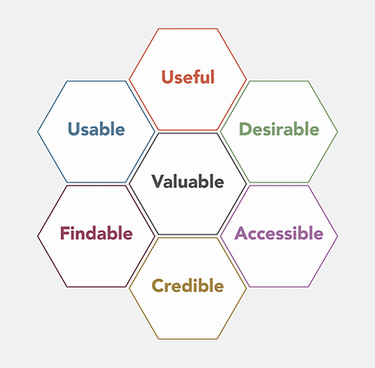
Use the User Experience Honeycomb to check usability alongside usefulness, findability, value, desirability, credibility, and accessibility. section 3.2

