A user-friendly API is easy to understand and use. It helps consumers integrate capabilities efficiently and supports a clear experience for the people using resulting applications. section 8.1 section 8.1.3
Figure 8.1 Designing a versatile API that does the job is a good start, but we must ensure that it’s user-friendly and interoperable.
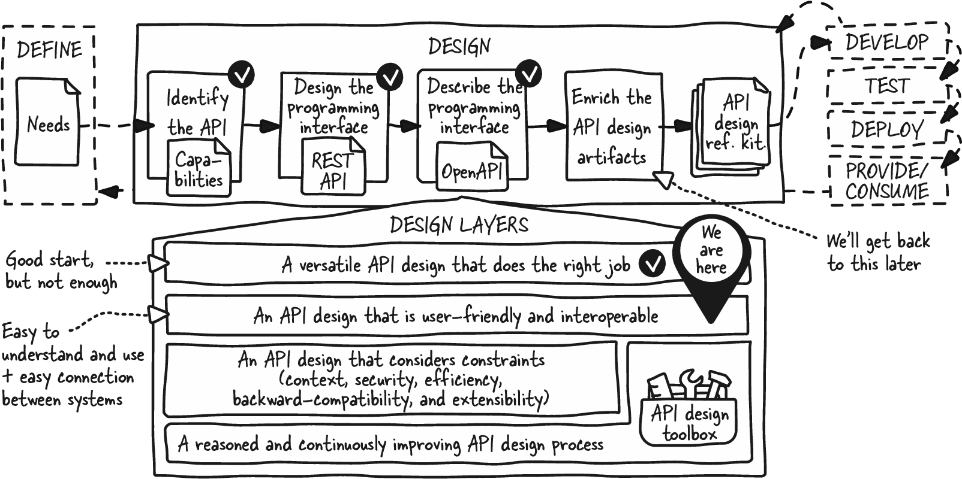
Use this figure to distinguish an API that performs the right job from one that also supports usability and interoperability. section 8.1
A discoverable messaging operation
A cryptic POST /x2501 operation, a noncompliant 2OO OK response, and an unclear missing-data error create integration friction. POST /messages with 400 Bad Request and {"error":"Missing phone number"} is easier to understand and integrate. section 8.1.3
Improve user-friendliness by revisiting the API after its versatile capabilities are established:
- Represent operations with understandable HTTP methods and resource paths, then optimize them during the second design pass. section 9.2.1
- Use user-friendly data, operations, and flows, while giving the API a clear purpose that meets focused needs. section 11.1 section 11.5
- Support appropriate discovery with OPTIONS, pagination, formats, resource links, and standard hypermedia metadata; add browsing only when needed. section 11.5
