UserOptions is the IdentityOptions.User configuration object for validating usernames and email addresses during account creation. section 38.3.3
Configure the two available properties:
- AllowedUserNameCharacters lists every legal username character explicitly; the default permits letters, digits, hyphen, period, underscore, and @. section 38.3.3
- RequireUniqueEmail rejects new accounts whose email address has already been used when set to true. section 38.3.3
Configure username and email validation
Register Identity, then configure UserOptions through IdentityOptions: builder.Services.Configure<IdentityOptions>(opts => { opts.User.RequireUniqueEmail = true; opts.User.AllowedUserNameCharacters = "abcdefghijklmnopqrstuvwxyz"; }); Restart the application and request /users/create. A duplicate email and a username such as Bob! produce validation errors. section 38.3.3
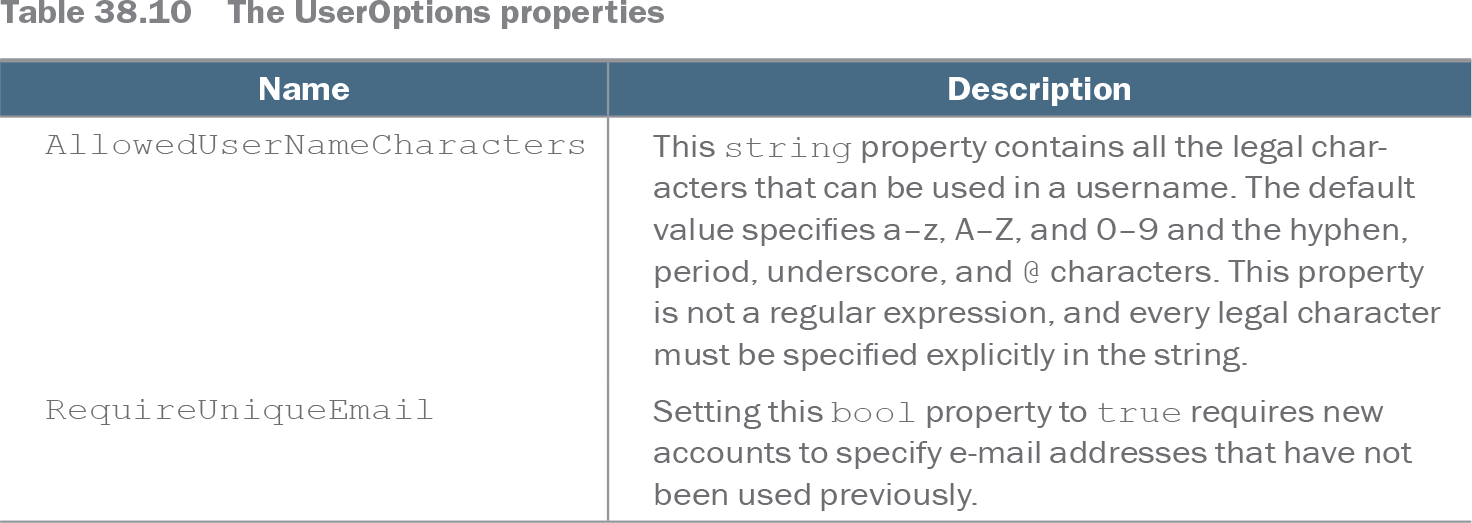
Table 38.10 The UserOptions properties (view table figure)
| Name |
Description |
|---|---|
| AllowedUserNameCharacters |
This string property contains all the legal characters that can be used in a username. The default value specifies a–z, A–Z, and 0–9 and the hyphen, period, underscore, and @ characters. This property is not a regular expression, and every legal character must be specified explicitly in the string. |
| RequireUniqueEmail |
Setting this bool property to true requires new accounts to specify e-mail addresses that have not been used previously. |
Use the property table as a compact reference for the supported username and email-validation settings. section 38.3.3