Visual weight is the perceived prominence or heaviness of areas in a page. Balance comes from comparing size, detail, contrast, color, typography, alignment, and even empty space—not from making every area symmetrical. section 6.7.2 section 6.7.1
Use these checks when reviewing a layout:
- Divide the page into four zones and compare their relative visual weight. section 6.7.2
- Consider size and complexity together: larger shapes weigh more, while additional lines or detail can make an area feel heavier. section 6.7.2
- Check whether removing detail creates unwanted symmetry instead of a pleasing balance. section 6.7.2
- Look beyond rectangles and grayscale; curves, color, contrast, typography, and leading lines also affect the result. section 6.7.2 section 6.7.1
Finding balance in a page
Imagine a page split into four zones. A zone with fewer lines may contain a larger shape, while another has more detail in a smaller area. Compare both factors before judging the layout. Then identify a focal point—the hero—that attracts attention first and begins the visitor’s preferred path through the page. section 6.7.2 section 6.7.1
Figure 6.3 When an image is separated into a quadrant, you can more easily check the balance.
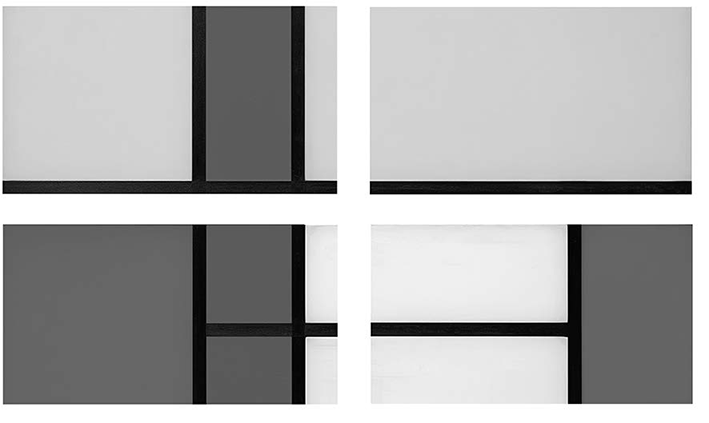
Use the quadrant view to inspect whether the page’s major areas carry comparable visual weight. section 6.7.2

