Analogous colors are neighbors on the color wheel. Because they sit close together, they create a coordinated look without the sharp contrast of colors from opposite sides of the wheel. Start with one main hue, then choose nearby hues to support it. section 17.15
In HSL, an analogous scheme usually places the supporting hues 30 degrees on either side of the main hue. For a red main color, hsl(0, 100%, 50%), the neighboring colors are hsl(30, 100%, 50%) and hsl(330, 100%, 50%). Want an even quieter palette? Choose hues only 15 degrees apart. section 17.15
Build an analogous scheme in three small moves:
- Pick the hue that should lead the page. section 17.16
- Add 30 degrees to its hue for one neighboring color. section 17.16
- Subtract 30 degrees for the other neighboring color. section 17.16
- Keep the main hue prominent, and reserve the other colors for buttons, borders, and other accents when the scheme has more contrast. section 17.15
A red neighborhood
Use red as the lead color, then move one step clockwise and one step counterclockwise on the wheel: red at 0 degrees, a neighbor at 30 degrees, and another at 330 degrees. The three hues belong together because each is close to red, yet the two supporting hues can still separate accents from the page’s main color. section 17.15
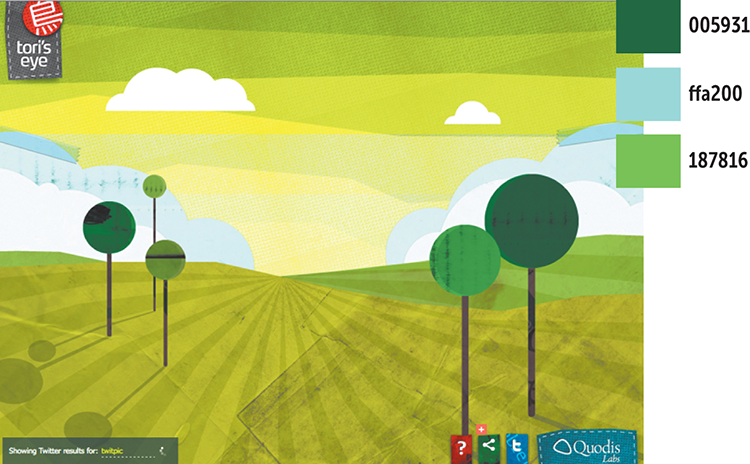
Browse a landing-page example that uses an analogous scheme for a colorful, inviting result. section 17.17
If hue arithmetic feels fussy, use a color-scheme calculator instead. Select Analogous, enter or pick an initial color, and inspect the generated colors as RGB, rgb(), and hsl() values. section 17.16


