ASP.NET Core Identity manages application users and connects authentication and authorization to the ASP.NET Core request pipeline. Use it when users must establish who they are before reaching restricted features. It is a toolkit rather than a ready-made security policy: choose the account-management and access rules the application needs. section 38.0 section 11.0
A typical database-backed setup has four parts:
- Install Microsoft.AspNetCore.Identity.EntityFrameworkCore, create an IdentityDbContext<IdentityUser>, configure its connection string, and prepare the database with a migration. IdentityUser supplies core user fields; a custom user class is also possible. section 38.2 section 38.2.1 section 38.0
- Register the context and call AddIdentity with user and role types. Add authentication and authorization middleware to the request pipeline. section 11.1.4
- Use UserManager<T> to find, create, update, and delete users. Use RoleManager<T> to manage roles and UserManager<T> to assign users to them. Configure username and password rules through options. section 38.3 section 38.0
- Use SignInManager<T> to validate credentials, then apply authorization to endpoints or Blazor components with the Authorize attribute. Web-service clients can use cookies or bearer tokens. section 39.0
After sign-in, authentication middleware reads the cookie and sets HttpContext.User to a ClaimsPrincipal. An endpoint can check whether the request is authenticated and obtain the username without handling the cookie itself; UserManager<T> can then retrieve the corresponding user. section 39.2.5
Protecting an administration area
Give an Admin account access to administration features while keeping customers out. The account needs stored Identity data, a way to sign in, authentication middleware to associate the user with each request, and authorization on the restricted features. This is a basic setup, not an implementation of Identity’s many other integration options. section 11.0 section 38.0 section 39.0
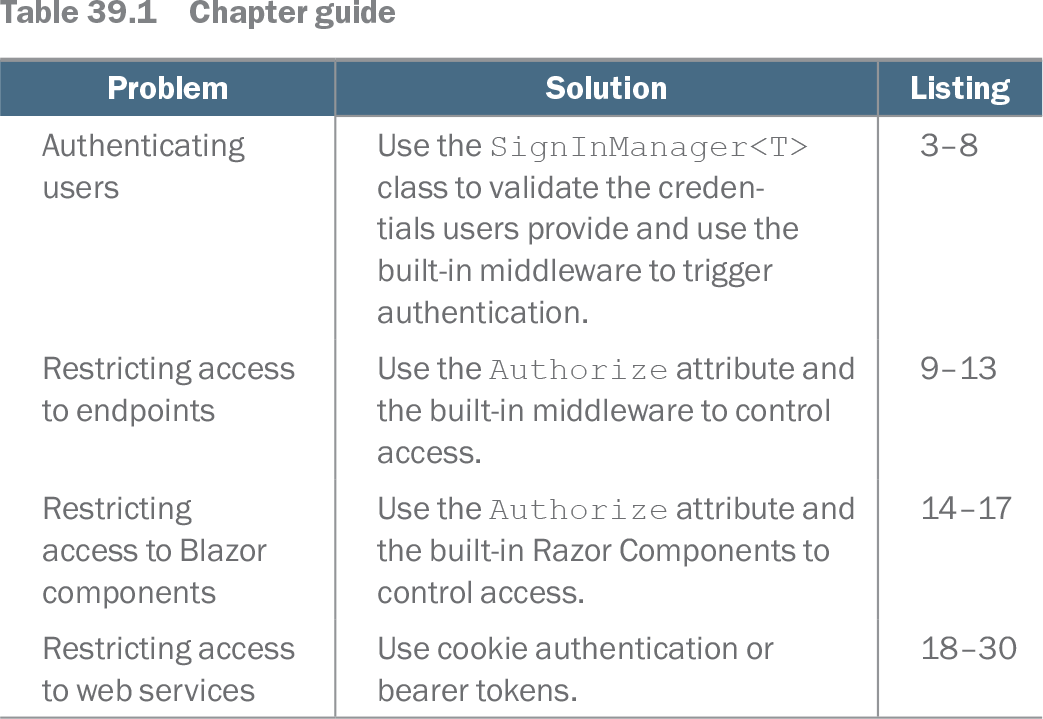
Table 39.1 Chapter guide (view table figure)
| Problem |
Solution |
Listing |
|---|---|---|
| Authenticating users |
Use the SignInManager<T> class to validate the credentials users provide and use the built-in middleware to trigger authentication. |
3–8 |
| Restricting access to endpoints |
Use the Authorize attribute and the built-in middleware to control access. |
9–13 |
| Restricting access to Blazor components |
Use the Authorize attribute and the built-in Razor Components to control access. |
14–17 |
| Restricting access to web services |
Use cookie authentication or bearer tokens. |
18–30 |
The guide maps sign-in, endpoint and Blazor authorization, and web-service authentication to the Identity components used for each task. section 39.0