An aspect ratio is the ratio of an image’s width to its height. Preserving it keeps a resized photo from appearing stretched or squashed. section 10.2.3
Resize a thumbnail without distortion
Open a copied photo in Photos on Windows or Preview on macOS, choose the resize command, and change its width in pixels. The height changes automatically to maintain the aspect ratio. You can set the height instead and let the width adjust. section 10.2.3
Name the resized copy with “-thumbnail,” such as image01-thumbnail.jpg, so it can be identified alongside the full-size image. section 10.2.3
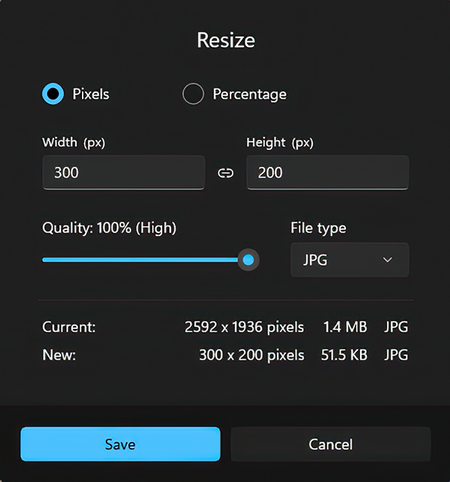
Use the resize dialog illustration to identify the width, height, and pixel controls used to preserve proportions. section 10.2.3

