Blazor Server adds browser interactivity to an ASP.NET Core application while its C# application code runs on the server. A JavaScript library in the page keeps an HTTP connection open. Browser events travel to the server; the browser receives the resulting changes to display. If that connection is interrupted, Blazor Server cannot function. section 1.1.3 section 33.0
The difference matters when a user makes a small change. With a conventional controller or Razor Page, submitting a selection sends another request and returns a complete HTML document. Blazor Server instead sends the selection over the open connection and returns only the changes needed in the existing page. That reduces repeated data and avoids parsing a new document for every interaction. section 33.2
The application setup and component work fit together:
- Configure the server with AddServerSideBlazor and MapBlazorHub, and include the required JavaScript file. section 33.0
- Define code and markup in a .blazor Razor Component, then apply it with a component element. section 33.0
- Use attributes to connect browser events to methods or expressions, and data binding where an element needs a two-way relationship with component data. section 33.0
Selecting a city
Suppose a selection determines which table rows are highlighted. A conventional form submission sends a GET request and receives a whole new page. With Blazor Server, changing the select element sends the selection to the server, which sends back only the changes to apply to the displayed HTML. section 33.2
Razor Components can also support larger application features, such as an administration interface for orders and products with validation and create, read, update, and delete operations. Keep the persistent connection requirement in mind: this model is useful for responsive interaction, but it is not suited to every project. section 10.0 section 33.0
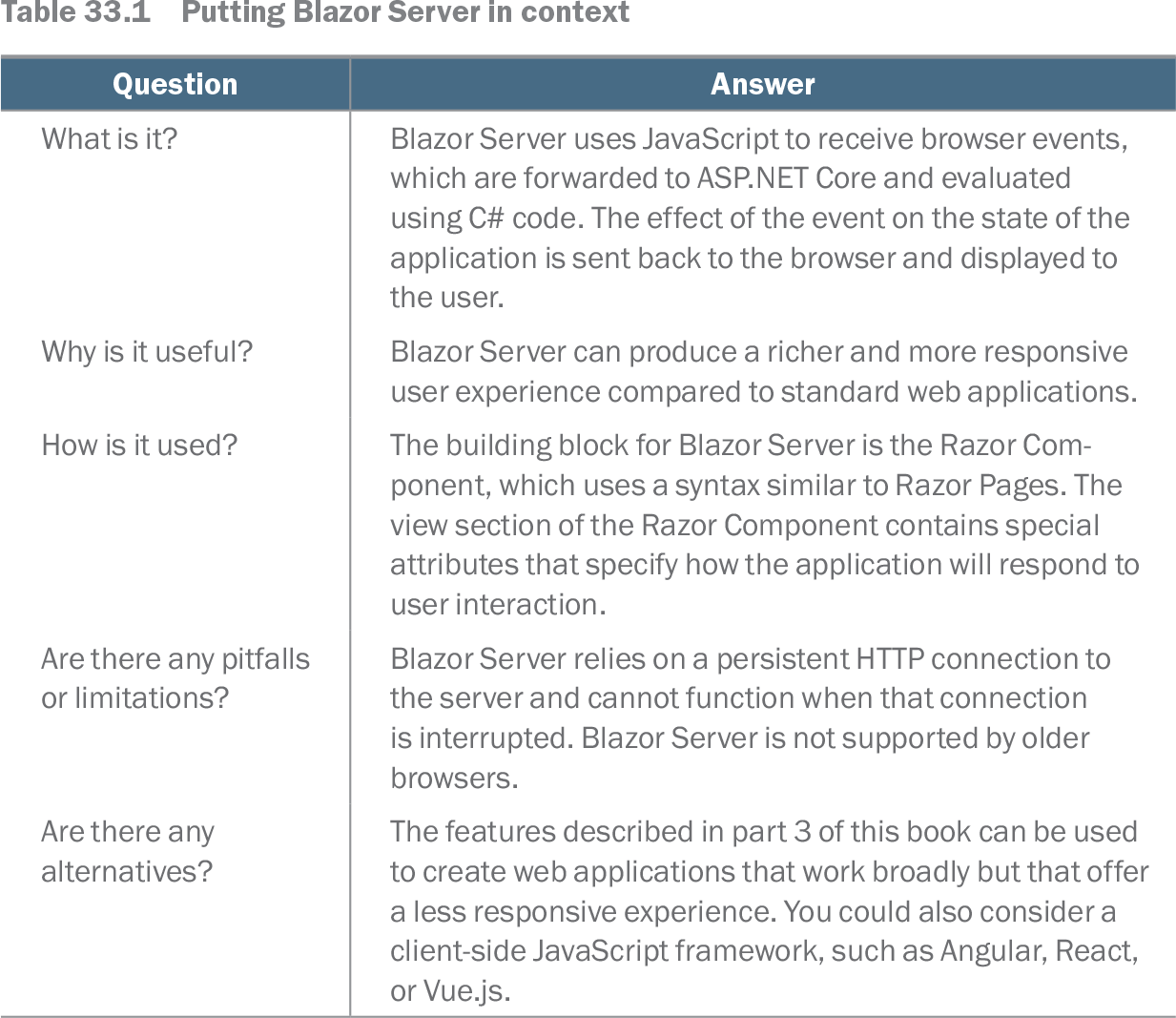
Table 33.1 Putting Blazor Server in context (view table figure)
| Question |
Answer |
|---|---|
| What is it? |
Blazor Server uses JavaScript to receive browser events, which are forwarded to ASP.NET Core and evaluated using C# code. The effect of the event on the state of the application is sent back to the browser and displayed to the user. |
| Why is it useful? |
Blazor Server can produce a richer and more responsive user experience compared to standard web applications. |
| How is it used? |
The building block for Blazor Server is the Razor Component, which uses a syntax similar to Razor Pages. The view section of the Razor Component contains special attributes that specify how the application will respond to user interaction. |
| Are there any pitfalls or limitations? |
Blazor Server relies on a persistent HTTP connection to the server and cannot function when that connection is interrupted. Blazor Server is not supported by older browsers. |
| Are there any alternatives? |
The features described in part 3 of this book can be used to create web applications that work broadly but that offer a less responsive experience. You could also consider a client-side JavaScript framework, such as Angular, React, or Vue.js. |
Compare the event flow, Razor Component building block, and persistent-connection limitation at a glance. section 33.0