A call to action (CTA) is a prompt, button, link, or other trigger that directs a visitor to one clear next step. On a home page, it gives the visitor a destination instead of leaving them to decide what to do next. Typical actions include viewing products, subscribing, searching, sharing feedback, making an appointment, starting a trial, or buying. section 4.3.4 section 10.6
Start by deciding the action that matters most for the page. Then state it in short, specific language that tells people what will happen: “See our most popular recipe,” “Sign up for extra recipes,” “Explore Now,” or “See Latest Recipe.” Pair the action with a clear reward when useful, such as extra recipes, exclusive offers, a first-order discount, or access to a guide. section 4.3.4 section 6.9.1 section 10.6
Make a CTA easier to notice and follow:
- Place the main invitation near the top of the home page, where visitors can see it quickly on small screens. section 4.3.4
- Make it visually distinct, for example with contrasting color, so it does not blend into surrounding content. section 4.3.4 section 10.6
- Say plainly what clicking will do rather than relying on a vague label. section 4.3.4 section 10.6
- Avoid competing exits that pull visitors away from the desired path, such as prominent social-media links on the home page. section 4.3.4 section 3.7
- Try alternative versions and observe visitor behavior to identify the more successful CTA. section 4.3.4
Recipe-site invitation
A recipe site can use “Explore Now” or “See Latest Recipe” beside its tagline. The invitation should stand out without overpowering the page; readable typography, relevant food imagery, white space, and subtle hover effects can help keep attention on the essential components. section 6.9.1
Figure 6.20 GPT had a different reaction to this more contemporary version of our practice site’s home page.
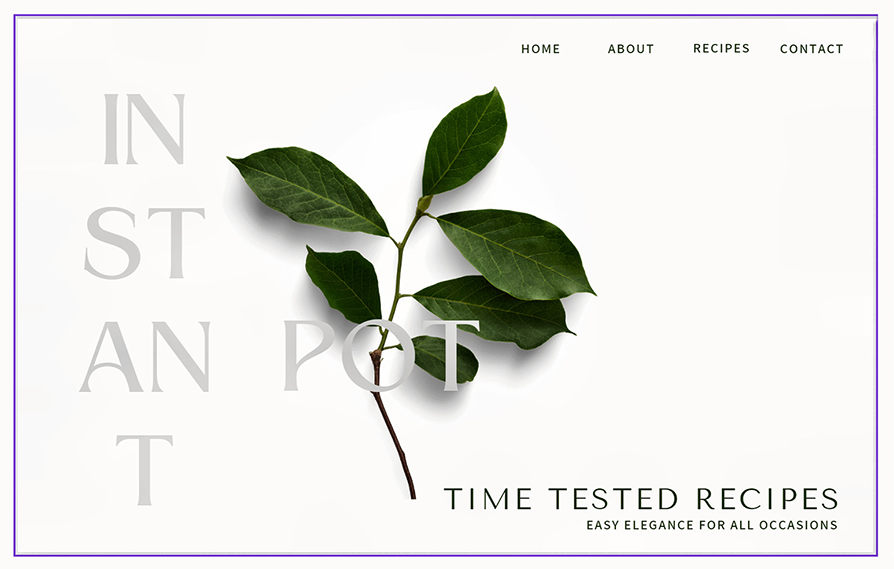
This contemporary recipe-home-page design provides a visual context for placing a prominent CTA beside a tagline and other essential content. section 6.9.1
A CTA is not finished when it is published. Watch how people move through the site, including their paths and time on pages, and revise the page or CTA when visitors are not reaching the intended destination. Clear navigation and concise menus can also support the path toward the action. section 4.3.4 section 3.7



