Code analysis uses static analyzers to inspect code, flag likely mistakes, and suggest changes through build tools or IDE inspection messages. Treat each warning as a prompt to investigate the underlying behavior, not as an instruction to apply its quick fix. section 1.3.2
Use static analysis deliberately:
- Integrate analyzers such as Error Prone into Maven or Gradle builds, or use analysis built into IntelliJ IDEA and Android Studio. section 1.3.2
- Investigate the root cause before accepting a quick fix; a fix may preserve incorrect semantics rather than repair the defect. section 1.3.2
- Remember that analyzers commonly understand standard-library behavior better than behavior in custom or third-party methods. section 1.3.2
- Suppress intentional warnings narrowly, explain the reason, and avoid disabling an entire inspection when one suppression is sufficient. section 1.3.4
A warning is not necessarily a solution
An analyzer may flag an int shifted by 32 bits and suggest changing the operation to x << 0. That change preserves the existing semantics and may leave the real defect untouched. Determine whether the intended fix is a different constant or a long value before changing the code. section 1.3.2
Suppress an intentional diagnostic
A collection populated only for debugging or memory-dump analysis can trigger a written-but-never-read warning. Prefer a documented, narrow suppression on the variable rather than suppressing the warning across the whole method. section 1.3.4
Figure 1.4 IntelliJ IDEA built-in static analyzer warning about incorrect shift amount
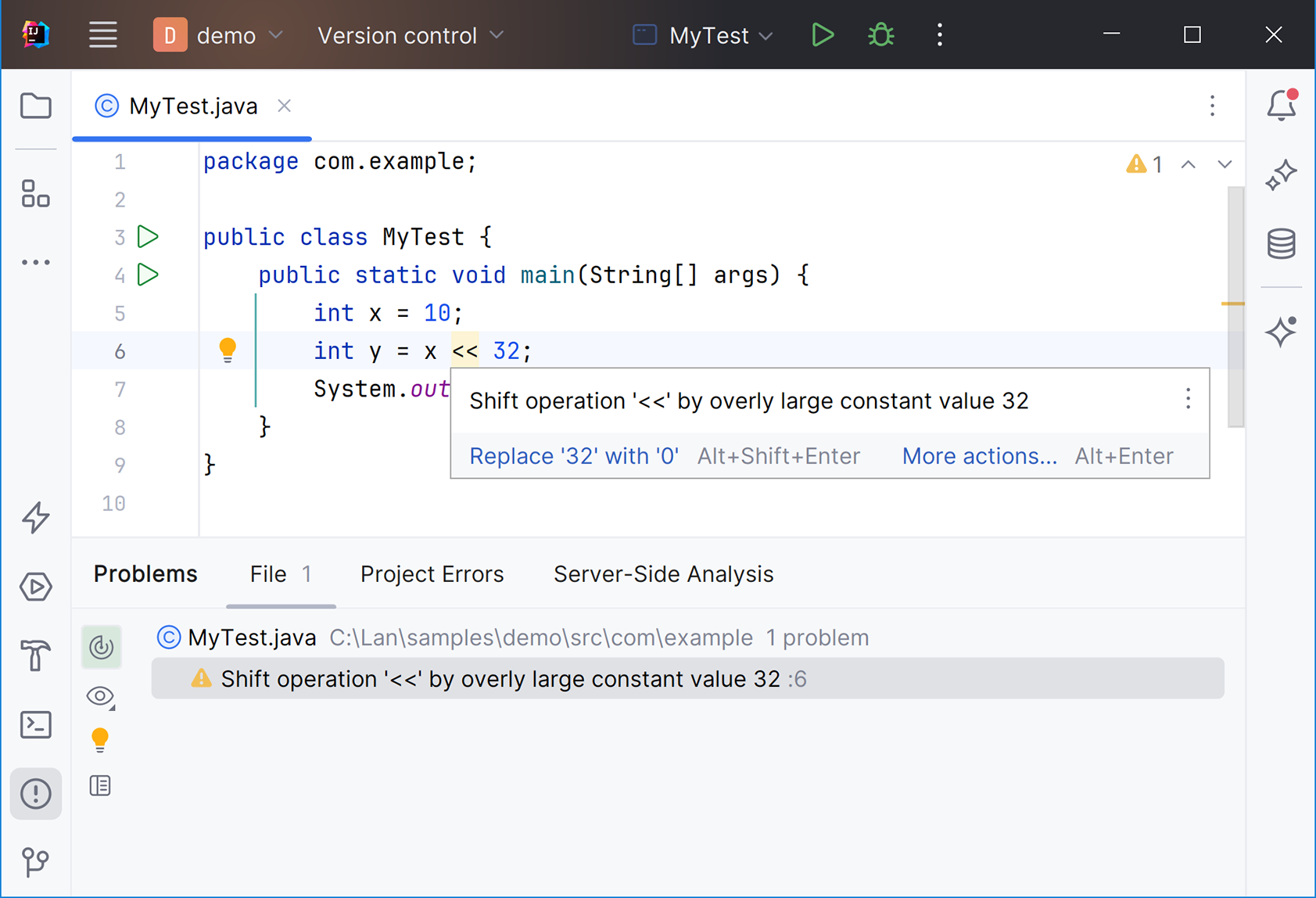
Inspect the IDE warning for an incorrect shift amount and connect the highlighted diagnostic to the surrounding code. section 1.3.2



