liveBook · Manning

Style guide

As explained in Coding with AI

A style guide is a set of rules and guidance governing the visual and interaction design of an application or product.

A style guide turns product goals into practical rules for visual and interaction design. It keeps pages coherent through shared choices about layout, color, typography, spacing, buttons, headings, and alignment. section 7.3.1

A quiz application's style guide might specify:

  • Use professional blue, grey, and white colors. section 7.3.1
  • Choose clean sans-serif typography and preserve ample white space. section 7.3.1
  • Keep button styles, headings, and text alignment uniform across pages. section 7.3.1
  • Make the score prominent and provide answer details, review, and navigation actions on the results page. section 7.3.1
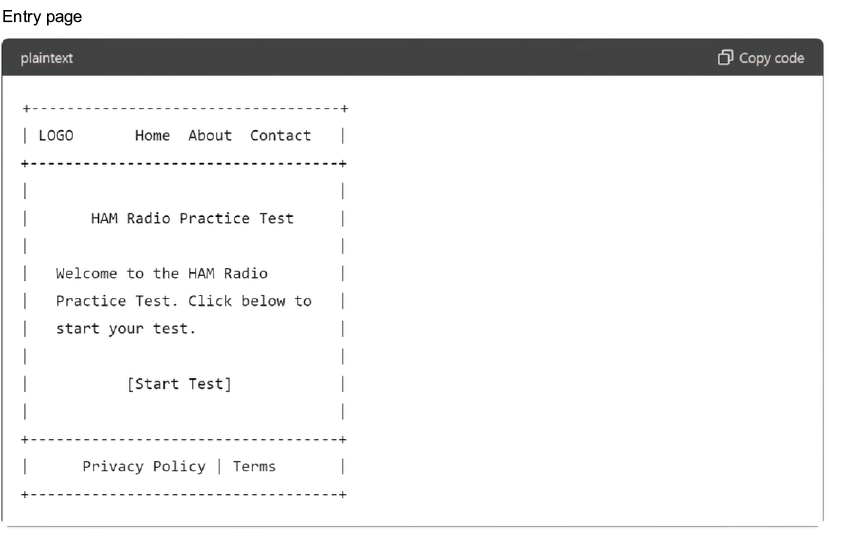
Figure 7.5 This is a text wireframe diagram of the entry page. It is rough but gives us a good idea of what the page should look like.
A screenshot of a computer

AI-generated content may be incorrect.

Pairing visual rules with a rough wireframe shows where the header, navigation, welcome content, start link, and footer belong before implementation. section 7.3.1


How Coding with AI covers it

How deep it goes
Defines colors, typography, spacing, alignment, and page structure, but stops short of implementation details.
Examples
Uses quiz entry, question, and results pages with specified colors, controls, spacing, and content.
What you can do after
Apply shared design rules and wireframes when laying out application pages.
How it connects
Connects visual design with wireframes, UI/UX design, navigation, and user interface layout.

Also explained in

Compare how 10 books explain style guide →

Related concepts

This explainer was generated by Manning's knowledge graph from the text of Coding with AI. The section links point to the parts of the book it draws on.







