A color picker helps you inspect a page’s existing colors, convert their notation, and adjust a palette while seeing the result. Browser DevTools is a convenient starting point because the applied colors are already beside the styles you are editing. section 11.3
Start with a color already on the page:
- Open DevTools, select the html element in the Elements panel, and find its color custom properties in Styles. The small square beside each value previews that color. section 11.3
- Shift-click the square to change notation: Chrome offers a dropdown, while Firefox and Safari cycle through notations. Click the square to open the picker for fine-tuning, palette selection, or sampling a page color with the eyedropper. section 11.3
- Edit a color live and check it in context. If the color belongs to an active style, force that state in DevTools so the element remains visible while you adjust it. section 11.3.4
For more control over OKLCH, oklch.com provides a swatch, lightness, chroma, hue, and alpha sliders, and a text box that converts pasted color syntax to OKLCH. Its color areas leave undisplayable colors blank, helping you choose within a desired gamut. In a wide-gamut DevTools picker, a white line marks the sRGB limit; a color beyond it may appear only approximately on an sRGB monitor. section 11.3.4 section 11.3
Add a palette color
A palette can include `--red: oklch(64% 0.15 10deg);` alongside existing green, gray, and white custom properties. Adjust its lightness and chroma in a picker, then inspect the rendered result rather than relying on the numeric value alone. section 11.3.4
Figure 11.16 The oklch.com color picker
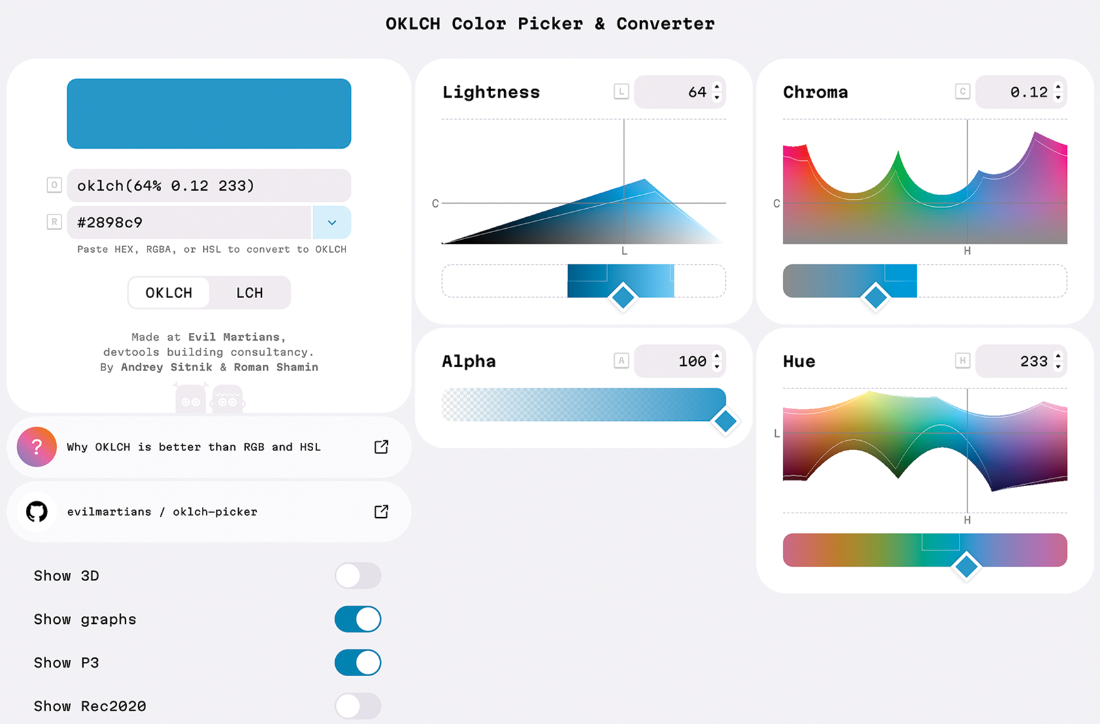
The oklch.com picker shows the swatch and controls used to adjust an OKLCH color. section 11.3.4



