A conversion happens when a visitor completes the action you want them to take. That action might be buying a product, joining a newsletter, sharing an email address, downloading a resource, booking an event, or responding to a call to action (CTA). For a business-focused site, conversions show whether visitors are becoming leads or customers rather than merely passing through. section 10.6 section 12.2.5
Conversion rate turns that result into a percentage: divide conversions by total visitors, then multiply by 100. If 100 of 2,000 monthly visitors make a purchase, the rate is 5%. If 100 of 3,000 visitors buy, it is 3.3%. Use the rate to judge progress over time as you change the site, rather than treating one industry-wide average as a universal target. section 10.6 section 12.2.5
Improve conversions by making the desired next step easy and convincing:
- Use a visually noticeable CTA with direct action language such as “Buy Now,” “Learn More,” or “Sign Up.” State what will happen after the click, and show a benefit or urgency. section 10.6
- Make product pages persuasive with accurate descriptions, strong photos, and customer reviews. section 10.6.2
- Remove checkout friction with easy payment, guest checkout, multiple payment methods, and secure transactions. section 10.6.2
- Test the buying experience on phones and tablets as well as larger screens. section 10.6.2
Conversion is the final stage of the purchase funnel. Acquisition creates awareness and interest; consideration helps people compare choices; conversion persuades them to become customers. Online behavior data can reveal where visitors leave before reaching a CTA, giving you a specific place to improve rather than guessing. section 12.1
Use a falling rate as a practical signal
Suppose an online store receives steady traffic but its conversion rate falls after a redesign. Check the CTA, product information, checkout flow, and mobile experience. Make a focused change, then watch whether the rate improves. A low rate suggests that some part of the content, design, user experience, or CTA needs attention; a high rate indicates those elements are working together effectively. section 10.6 section 12.2.5
Figure 12.1 The funnel process—a dialogue between salesman and customer—is well known as an effective way to turn someone into a buyer. (Courtesy of the specialized GPT Diagrams: Show Me)
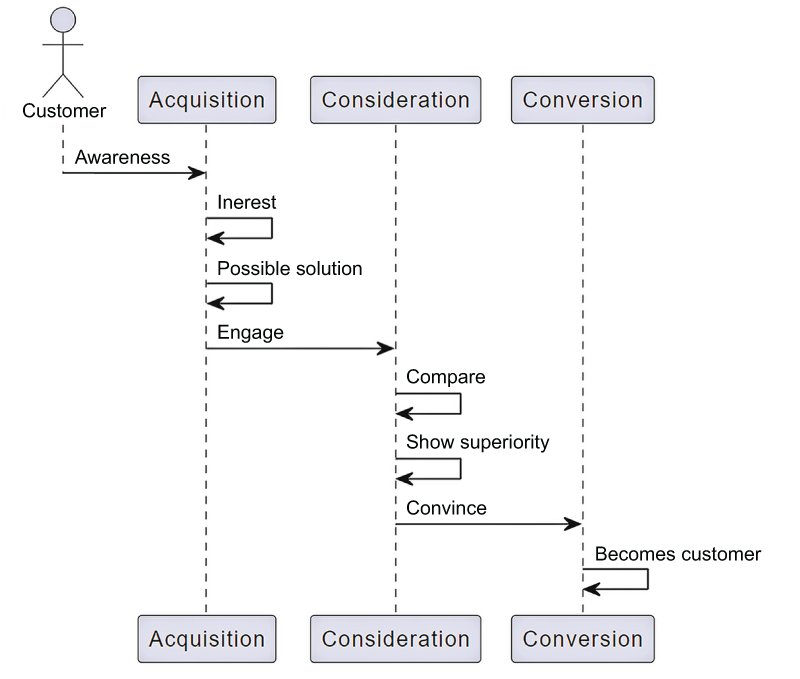
Use the funnel diagram to place conversion after acquisition and consideration, then identify where people exit before the CTA. section 12.1




