A date range selector lets dashboard users choose a start date and end date, then inspect metrics and charts for that period instead of the entire dataset. section 6.1.3 section 6.3
A practical implementation follows this flow:
- Display separate start-date and end-date inputs, usually in a sidebar. section 6.3.2
- Choose defaults such as thirty days ago through the latest date available in the dataset. section 6.3.2
- Convert the selected dates for comparison with the prepared data, then retain rows between the two endpoints. section 6.3.2
- Pass the resulting data to metrics, time-series charts, and other dashboard widgets. section 6.1.4
A simple Streamlit range panel
Use st.date_input twice and return both values: start = st.date_input("Start date", value=THIRTY_DAYS_AGO); end = st.date_input("End date", value=LATEST_DATE). The returned date values can feed the dashboard’s range-filtering function. section 6.3.2
Figure 6.12 Date range inputs displayed in a sidebar (see chapter_06/in_progress_06 in the GitHub repo for the full code).
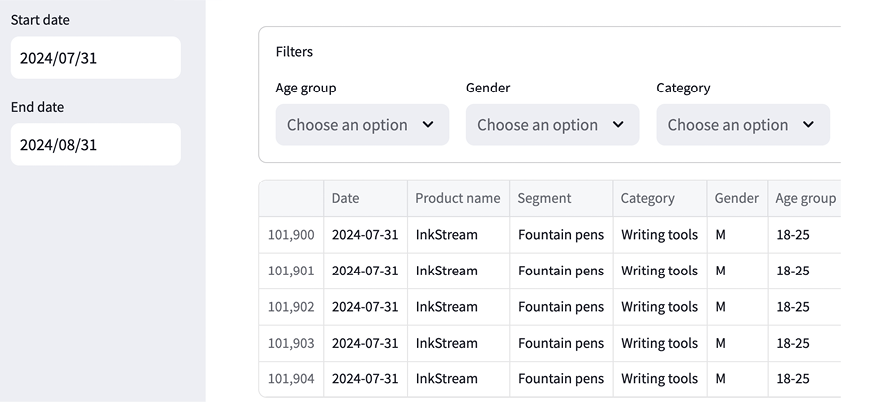
View the sidebar layout showing how the two date inputs appear alongside the dashboard. section 6.3.2
