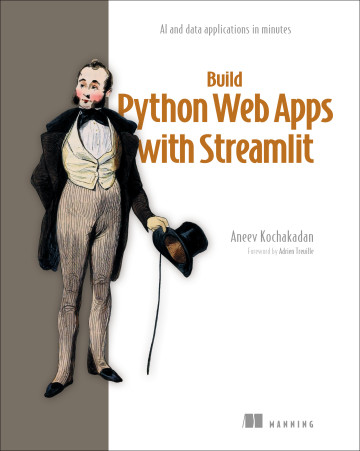
What you will learn in Build Python Web Apps with Streamlit
AI and data applications in minutes
Chapter by chapter
Chapter 1: Introduction to Streamlit
This introduction positions Streamlit as a fast, Python-only way to build interactive web apps and previews the book’s project-based learning path.
What you learn in chapter 1 →Chapter 2: Getting started with Streamlit
This chapter introduces the path from preparing a Streamlit development environment through learning the development workflow to building a first password-checker app.
What you learn in chapter 2 →Chapter 3: Taking an app from concept to code
This chapter introduces planning and design as essential work and previews an end-to-end process for turning an app concept into Streamlit code.
What you learn in chapter 3 →Chapter 4: Streamlit’s execution model
This chapter introduces Streamlit’s execution model, state management, and troubleshooting through a daily to-do list app with intentionally created bugs.
What you learn in chapter 4 →Chapter 5: Sharing your apps with the world
This chapter introduces moving a Streamlit app from local development to public deployment, including hosting choices, external services, secrets, and dependencies.
What you learn in chapter 5 →Chapter 6: A dashboard fit for a CEO
This chapter introduces why executive metrics dashboards matter and previews building an interactive CEO KPI dashboard with Streamlit, pandas, caching, widgets, and Plotly.
What you learn in chapter 6 →Chapter 7: The CEO strikes back: Supercharging the dashboard
This chapter introduces an iterative upgrade of the Note n’ Nib metrics dashboard in response to user feedback, using advanced Streamlit features to improve flexibility and usability.
What you learn in chapter 7 →Chapter 8: Building a CRUD app with Streamlit
This chapter introduces CRUD as the common create, read, update, and delete pattern and previews building a Streamlit CRUD app with persistent storage and user authentication.
What you learn in chapter 8 →Chapter 9: Creating an AI-powered application
This chapter introduces building Streamlit features with LLM prompts and responses, controllable structured interactions, sequential state, and editable tables.
What you learn in chapter 9 →Chapter 10: RAG and agentic apps with LangGraph and Streamlit
This chapter introduces building a Streamlit customer-service chatbot that uses LangGraph, private data retrieval, and real-world actions to provide business value.
What you learn in chapter 10 →Chapter 11: Testing Streamlit apps
This chapter introduces a testing strategy for Streamlit apps, covering automated tests at multiple levels to catch defects and prevent regressions as an app evolves.
What you learn in chapter 11 →Chapter 12: Packaging and deploying Streamlit apps
This chapter introduces moving beyond Streamlit Community Cloud by packaging a Streamlit app with Docker, deploying it to AWS Elastic Beanstalk, and giving it a custom HTTPS domain.
What you learn in chapter 12 →Concepts explained in this book
- StreamlitStreamlit is an open-source Python framework for building interactive web applications, especially data and machine-learning applications.
- buttonA button is a Streamlit user-interface control that can initiate an application action when activated.
- language modelAn LLM is a large language model that generates or transforms text from input sequences.
- LangGraphLangGraph is a framework for building stateful applications as workflows composed of interconnected graph nodes, including applications driven by language models.
- stateA graph state is the structured mutable data associated with a graph execution, including the messages for a conversation thread.
- testA test function is a callable test definition that exercises software and compares observed results with expected results.
- sessionst.session_state is Streamlit's session-scoped state store for retaining values across reruns of an app session.
- API keyAn API key is a secret credential that authenticates software when it accesses an application programming interface.
- DockerfileA Dockerfile is a text file containing instructions for defining the environment and build steps of a Docker image.
- DockerDocker is a platform and toolset for packaging applications with their dependencies into portable images and running them in isolated containers.
- AWS Elastic BeanstalkAWS Elastic Beanstalk is an Amazon Web Services service that deploys and manages applications while providing configurable control over their underlying infrastructure.
- promptA prompt is an input supplied to a language model, typically consisting of one or more conversational messages.
- PostgreSQLPostgreSQL is an open-source object-relational database management system that supports SQL, transactions, and extensible data types.
- multiselectA multi-select option is a user-interface control that lets a user choose multiple values from a set of options.
- tokenA token is a chunk of text, such as a word or word fragment, processed as an input or generated as an output by a language model.
- mockingMocking is the process of replacing real dependencies with fake, controlled versions during testing.
- contractAn API is a defined interface through which software components programmatically exchange data or invoke functionality.
- vector databaseA vector database is a data-storage system optimized for storing, indexing, and searching numerical vector representations by similarity.
- chat_messagest.chat_message is a Streamlit display widget that renders a conversational message container styled for a specified speaker role.
- conversion factorA conversion factor is a numerical multiplier that converts a measurement from one unit to another relative to a standard unit.
- knowledge baseA knowledge base is an organized collection of information that a system can consult to answer questions about a defined subject.
- st.dialogst.dialog is a Streamlit decorator that presents a function's interface in a modal dialog and supports rerunning that dialog independently.
- unit of measurementA unit of measurement is a standardized quantity used to express the magnitude of a measurable property.
- retrieval-augmented generationRetrieval-augmented generation is a technique that retrieves relevant external information and supplies it to a language model when generating a response.
- embeddingA text embedding is a numerical vector representation of text that captures features useful for semantic comparison.
- containerA Docker container is an isolated runtime environment created from a container image.
- MessagesStateMessagesState is a built-in LangGraph state class whose messages updates are appended to the existing message list.
- container imageA container image is an immutable package containing an application and the files and metadata needed to create its container runtime.
- widget keyA widget key is an identifier that distinguishes a Streamlit widget from other widgets, especially widgets with identical characteristics.
- rerunAlways Rerun is a Streamlit development setting that automatically reruns an app whenever its source code changes.
- PlotlyPlotly is a visualization library for creating interactive charts and graphs.
- temperatureTemperature is a language-model sampling parameter that controls how broadly probability is spread across possible next tokens.
- top-p filteringtop_p is a language-model sampling parameter that limits token selection to the smallest set whose cumulative probability reaches a specified threshold.
- frontend developmentFrontend development is the software engineering discipline concerned with implementing the user-facing parts of web applications.
- assertionAn assertion is a test check that evaluates an expected condition and reports a failure when the condition is false.
- HTTPSHTTPS is the secure version of HTTP that protects web communication using TLS encryption and server authentication.
- drilldown viewA drilldown view is an interface view that presents detailed data for selected dimensions, metrics, or subsets of a broader summary.
- vectorizationA text embedding model is a machine-learning model that converts text into numerical vectors representing its semantic content.
- Streamlit Community CloudStreamlit Community Cloud is a cloud hosting service for deploying and sharing public Streamlit applications.
- test fixtureA test fixture is a reusable setup and teardown mechanism that provides a controlled environment or data for tests.
- chat_inputst.chat_input is a Streamlit widget that collects a conversational message through a bottom-pinned text input and send control.
- dependencyAn external dependency is software or a remote service outside a component's implementation that the component relies on for functionality.
- database tableA table is a relational data structure consisting of rows and columns that stores records about related entities.
- AppTestAppTest is Streamlit's testing API for creating and programmatically interacting with a runnable app instance without displaying its browser interface.
- connection stringA connection string is a structured value containing the address, port, credentials, and database name needed to connect to a data service.
- quantityA quantity is a measurable amount that can be represented numerically and associated with a unit.
- check boxst.checkbox is a Streamlit input API element that renders a Boolean checkbox with a label.
- configurationA configuration file is a file that stores declarative settings and structured application data separately from program logic.
- databaseA database is an organized system for storing, managing, and retrieving structured or unstructured data.
- st.connectionst.connection is a Streamlit API function that creates and manages connections to external data services such as databases.
- columnsst.columns is a Streamlit layout API function that creates side-by-side columns with equal or relative widths.
- productionA deployment environment is an isolated live or pre-live instance of an application with its own resources and configuration.
- secrets.tomlsecrets.toml is a Streamlit configuration file that stores application secrets such as API keys outside source code.
- ChatOpenAIChatOpenAI is a LangChain class that provides an interface to OpenAI chat language models.
- StateGraphStateGraph is a LangGraph graph-builder API for defining nodes, state, and transitions in a stateful computation graph.
- requestsrequests is a Python library that provides a user-friendly interface for sending HTTP requests and handling their responses.
- primary keyA primary key is a column or set of columns whose combined values uniquely identify each row in a data table.
- type hintsA type hint is Python syntax that annotates the expected types of function parameters, return values, or other expressions.
- pytestpytest is a Python testing framework for writing and running tests with concise test functions, assertions, fixtures, and plugins.
- CRUDCRUD is a software pattern covering the creation, reading, updating, and deletion of persistent records.
- SQL injectionSQL injection is a security vulnerability in which attacker-controlled input alters a database statement to execute unintended SQL commands.
- SQLAlchemySQLAlchemy is a Python database toolkit and object-relational mapping library that provides database connectivity, SQL execution, and transaction management.
- st.cache_resourcest.cache_resource is a Streamlit decorator that caches shared resources, such as database connections, across users and app sessions.
- separation of concernsSeparation of concerns is a software design principle in which distinct components focus on distinct responsibilities and interact through controlled interfaces.
- total rowA total row is a table row containing aggregate values for all records or groups represented in the table.
- AI agentAn AI agent is a software system that uses artificial intelligence to interpret context, choose actions, and carry out tasks toward a goal.
- st.plotly_chartst.plotly_chart is a Streamlit API function that renders a Plotly figure in an application.
- load balancingA load balancer is an infrastructure component that distributes incoming network traffic across multiple service instances and can route traffic away from unhealthy instances.
- boolean indexingBoolean indexing is a data-selection technique that filters elements or rows according to Boolean conditions.
- SQLA search query is a textual request specifying the items or information to retrieve from a search service.
- conditional formattingA conditional formatting rule is a display rule that applies presentation changes when data satisfies a specified condition.
- toolA tool is a callable software interface that an application or language model can invoke with structured parameters to perform an operation or retrieve information.
- dataclassA dataclass is a Python class form that automatically supplies standard methods and supports concise declaration of data fields.
- integration testAn integration test evaluates whether multiple software components and their dependencies interact correctly as a combined system.
- credentialA credential is authentication information, such as an access key identifier and secret key, that authorizes access to a service.
- deploymentDeployment is the process of making an application available to its intended users by hosting and configuring it.
- Amazon Elastic Compute CloudAmazon EC2 is an AWS service that provides resizable virtual machines for running applications.
- requirementsSoftware requirements are stated needs, capabilities, goals, and constraints that a software system is expected to satisfy.
- certificateA digital certificate is a digitally signed document that binds a domain or other identity to a public key for authentication and encrypted communication.
- parameterA query parameter is a named key-value item in a URL query string that conveys request information or application state.
- streamlit runThe streamlit run command is a command-line interface command that launches a Streamlit application from a Python source file.
- cosine similarityCosine similarity is a metric that compares vectors by measuring the cosine of the angle between them.
- average transaction valueAverage transaction value is the mean sales revenue associated with each transaction over a specified scope or period.
- st.set_page_configst.set_page_config is a Streamlit API function that sets page-level configuration such as layout and page metadata.
- custom domainCustom domain support is the capability to serve an application from a domain name chosen by its owner rather than a provider-assigned domain.
- foreign keyA foreign key constraint requires values in one table's column to correspond to existing values in a referenced table's key column.
- BigQueryBigQuery is a fully managed Google Cloud service for storing and analyzing large datasets with SQL.
- filter panelA filter panel is a user-interface area containing controls that let users restrict displayed data by field values.
- deep linkingA deep link is a URL that opens an application directly at a specific resource, view, or state.
- document loaderA document loader is a component that reads source data and converts it into structured documents for downstream processing.
- dependency injectionDependency injection is a software design pattern in which an object receives the components it depends on from outside rather than constructing them internally.
- DirectoryLoaderDirectoryLoader is a LangChain loader that discovers and loads files from a specified directory.
- DocumentA Document is a LangChain data structure containing source text and associated metadata.
- vector indexA vector index is a searchable Pinecone collection that stores text records, metadata, and their vector embeddings.
- PineconePinecone is a managed vector database service optimized for scalable similarity search over vector representations.
- RecursiveCharacterTextSplitterRecursiveCharacterTextSplitter is a LangChain utility that divides documents into overlapping text chunks while attempting to preserve meaningful context.
- text-embedding-3-smalltext-embedding-3-small is an OpenAI model that converts text into numerical vector representations.
- endpointAn endpoint is an API-specific address identifying a particular operation or resource.
- Dad Jokes APIThe Dad Jokes API is a web API that provides dad jokes in response to HTTP requests.
- JSONJSON is a text-based data-interchange format representing structured data as objects, arrays, values, and name-value pairs.
- EB CLIEB CLI is a command-line interface for creating, configuring, deploying, and managing Elastic Beanstalk applications and environments.
- dropdownA dropdown is a user-interface control that lets a user choose one or more options from a list revealed on interaction.
- st.query_paramsst.query_params is Streamlit's dictionary-like interface for reading and updating the query parameters in an app's URL.
- st.navigationst.navigation is a Streamlit API function that creates navigation from page definitions and returns the page selected for execution.
- data frameA dataframe is a two-dimensional tabular data structure organized into rows and columns, with each column holding values of a data type.
- SeriesA pandas Series is a one-dimensional labeled array-like data structure that stores values associated with an index.
- st.expanderst.expander is a Streamlit layout element that displays content inside a panel users can expand or collapse.
- st.data_editorst.data_editor is a Streamlit widget that displays editable tabular or collection data and returns the user's edits.
- data typeA data type specifies the kind of value that a database column can store and the operations applicable to that value.
- password hashingPassword hashing is the process of transforming passwords into one-way cryptographic representations for safer credential storage.
- data groupingPandas groupby is a dataframe operation that partitions rows into groups and supports aggregation across those groups.
- sequenceA time series is an ordered sequence of observations associated with time points, such as dates and corresponding values.
- end-to-end testingAn end-to-end test evaluates the behavior of an entire application under conditions that include its real dependencies and external services.
- structured dataStructured Outputs is an OpenAI API feature that constrains a model response to conform to a developer-provided schema.
- eb create commandThe eb create command creates an Elastic Beanstalk environment and deploys application code to it.
- eb init commandThe eb init command interactively initializes an Elastic Beanstalk application and configures deployment settings.
- st.containerst.container is a Streamlit layout function that creates a container whose contents can be populated and rendered separately from the surrounding code order.
- repositoryA Git repository is a project directory managed by Git that stores files together with their version history and staging metadata.
- nodeA graph node is a vertex in a graph that represents an entity, state, or executable step in a workflow.
- schemaA database schema is the formal definition of a database's tables, fields, relationships, and constraints.
- conditional logicBranching logic is control flow that selects among alternative execution paths based on conditions or decisions.
- st.metricst.metric is a Streamlit display function that presents a labeled metric value and optionally its change from a reference value.
- read_csvread_csv is a pandas function that reads delimited text data, commonly CSV files, into a dataframe.
- tool usageTool use is the capability of an AI system to invoke external software functions or services while solving a task.
- pandaspandas is a Python library for data manipulation and analysis, especially with labeled and tabular data.
- pie chartA pie chart is a circular visualization that represents a whole as slices whose sizes correspond to component values or percentages.
- user experienceUser experience is the overall experience of a person when interacting with a software product, including its usability, behavior, and perceived quality.
- bcryptbcrypt is a password-hashing library and algorithm implementation designed to make password guessing computationally expensive.
- cryptographic hashA cryptographic hash function transforms input into a fixed-looking digest such that recovering the original input is computationally difficult.
- st.column_configst.column_config is Streamlit's API for configuring the behavior and presentation of columns in data editor and dataframe views.
- st.popoverst.popover is a Streamlit layout element that reveals a small popup panel when its associated trigger is activated.
- columnA database column is a named field in a table that stores one attribute of each row according to a defined data type.
- recordA database row is a single record in a table containing values for that table's columns.
- applyThe pandas apply method applies a function across dataframe rows, columns, groups, or Series values.
- grouped dataframeA grouped dataframe is a pandas data structure that partitions dataframe rows into groups for separate aggregation or transformation.
- Plotly figureA Plotly figure is an object containing the traces, layout, and configuration that define a Plotly visualization.
- st.tabsst.tabs is a Streamlit API function that creates selectable tab containers for organizing alternative content panels.
- auto-scaling groupAn auto-scaling group is a managed collection of compute instances that adjusts capacity according to demand or utilization.
- public key cryptographyPublic-key cryptography is a cryptographic technique that uses mathematically related public and private keys for secure authentication or communication.
- public-private key pairA key pair is a matched private key and public key used for asymmetric authentication.
- regionA cloud region is a geographically distinct location containing data centers where cloud services operate.
- security groupA security group is an AWS virtual firewall that controls inbound and outbound traffic for network resources.
- SSHSSH is a secure network protocol for authenticated and encrypted command-line access to a remote computer.
- date range comparisonA comparison date range is a date interval selected or calculated as the reference period for comparing a metric with its current-period value.
- edgeA graph edge is a connection between two graph nodes that represents a relationship or execution transition.
- dashboardA dashboard is an interface that presents selected metrics or other information for monitoring and decision-making.
- radio buttonst.radio is a Streamlit selection element that lets a user choose one value from a set of options.
- hallucinationAn AI hallucination is a generated response that presents invented or unsupported information as if it were factual.
- PythonPython is a general-purpose, high-level programming language widely used for software development and artificial intelligence.
- database transactionA database transaction is an atomic unit of database work whose modifications remain provisional until committed or are discarded by rollback.
- HTTP GETA GET request is an HTTP request that retrieves a resource or result, with request parameters commonly encoded in the URL.
- dimensionA dimension is a categorical or descriptive attribute by which data can be grouped, filtered, or analyzed.
- ToolNodeToolNode is a LangGraph prebuilt node that executes tool calls from the latest message and appends the resulting tool messages to graph state.
- tools_conditiontools_condition is a LangGraph routing function that sends execution to a tool node when the latest language-model message contains tool calls and otherwise sends execution to END.
- cost optimizationCost optimization is the practice of reducing the resources or money required to operate a system while preserving required outcomes.
- callbackA callback is a function supplied to another component for execution in response to a later event.
- state cycleA state cycle is a state-machine structure in which transitions eventually return to an earlier state and can repeat.
- HumanMessageHumanMessage is a LangChain message class representing content supplied by a human participant.
- uriA URL is a standardized web address that identifies where a network resource or service can be accessed.
- st.headerst.header is a Streamlit display API element that renders text as a section heading smaller than a title.
- psqlpsql is PostgreSQL's interactive command-line client for issuing SQL statements and database-administration commands.
- metric barA metric bar is a dashboard interface area that presents multiple metrics in a horizontal layout.
- domain name systemDNS is the naming system that maps human-readable domain names and subdomains to network resources.
- st.secretsst.secrets is Streamlit's dictionary-like interface for accessing application secrets and confidential configuration values.
- st.infost.info is a Streamlit output element that displays an informational message with informational semantic styling.
- image layerA Docker image layer is an immutable filesystem change that contributes to the assembled contents of a Docker image.
- config.tomlconfig.toml is a TOML-formatted Streamlit configuration file containing application settings.
- cachingCaching is the storage of computed results or loaded data so they can be reused without repeating the underlying work.
- decoratorA decorator is a Python construct that modifies or extends a function or class by wrapping it with additional behavior.
- sidebarA sidebar is a user-interface panel positioned beside the main content area for navigation or auxiliary controls.
- CREATE TABLE statementCREATE TABLE is a SQL statement that creates a table with specified columns, data types, and constraints.
- deletionDELETE FROM is a SQL statement that removes rows from a table, optionally restricted by a condition.
- frontend testingFrontend testing is the practice of verifying the behavior and rendered interface of an application's user-facing part.
- insertINSERT INTO is a SQL statement that adds one or more rows to a table.
- selectSELECT FROM is a SQL query form that retrieves rows and selected fields from one or more tables.
- database updateUPDATE is a SQL statement that changes column values in rows matching an optional condition.
- where clauseA WHERE clause is a SQL query component that restricts affected or returned rows according to a condition.
- conditional edgeA conditional edge is a graph transition whose next node is selected by evaluating a specified condition.
- text boxA text input is a user-interface control that accepts a single line of textual input.
- settings editorA settings editor is a user-interface pattern for viewing and changing configurable application options.
- dialog elementA modal dialog is an interface panel that temporarily blocks interaction with the underlying content until the dialog is completed or dismissed.
- probability distributionA probability distribution assigns likelihoods to the possible values or events of a random variable.
- varianceVariability is the degree to which a model produces different outputs for the same or similar inputs.
- software updatePatching is a testing technique that temporarily replaces a referenced object, function, or dependency with a controlled substitute during execution.
- web applicationA web application is an interactive software application delivered through web technologies and typically accessed in a web browser.
- Pydanticpydantic is a Python data-validation library that uses type annotations to validate and serialize data against declared schemas.
- BaseModelBaseModel is pydantic's base class for declaring validated, schema-driven data models.
- Docker volume mountA volume mount is a configuration that makes files or directories from a host or managed volume available inside a container.
- port mappingContainer port mapping connects a port on the host machine to a port exposed by a Docker container.
- state managementState management is the practice of retaining and updating application data that determines behavior across interactions or executions.
- requirements.txtrequirements.txt is a conventionally named file that lists Python modules and compatible version specifications required by an application.
- st.page_linkst.page_link is a Streamlit API function that renders a link for navigating between pages in a multipage application.
- performanceA metric is a quantified measure used to describe or evaluate a phenomenon, process, or outcome.
- AWS Certificate ManagerAWS Certificate Manager is an AWS service that provisions, manages, and deploys digital certificates for AWS-connected resources and domains.
- cname recordA CNAME record is a DNS record that aliases one domain name to another domain name.
- salesSales are the monetary amounts collected from completed transactions.
- docker-compose.ymlA docker-compose.yml file is a YAML configuration file that defines services, builds, networking, and other settings for Docker Compose.
- date selectorA date range selector is a user-interface control for choosing a start date and end date that define a period of interest.
- .gitignoreA .gitignore file specifies files and directories that Git should exclude from version-control operations such as commits.
- authenticationUser authentication is the process of verifying a person's identity before granting access to an account or application resources.
- lambdaA lambda function is an anonymous Python function defined as a single expression, typically for short computations.
- graphA graph is a network of vertices or nodes connected by edges, and in LangGraph it models application execution and relationships between actions.
- HTTPHTTP is the application-layer protocol used to transfer web resources and exchange messages between clients and servers.
- request messageA POST request is an HTTP request that sends data to a server, commonly in a request body.
- ReActA ReAct agent is an AI agent pattern that interleaves reasoning about a task with actions performed through callable tools.
- st.cache_datast.cache_data is a Streamlit decorator or caching mechanism that stores function results and reuses them across reruns when inputs remain unchanged.
- response.json()response.json is a requests response method that parses a JSON response body into a Python object.
- mock dataMock data is fabricated data designed to imitate the structure and content of data supplied by a real dependency.
- st.writest.write is a Streamlit output function that renders supplied content in an application.
- aws_iam_instance_profileAn instance profile is an AWS container for an IAM role that can be attached to an EC2 instance.
- context windowContext window length is the maximum number of tokens that a language model can process as input in a single prompt.
- IAM policyAn IAM policy is a declarative AWS document that specifies which actions are allowed or denied on which resources.
- IAM userAn IAM user is an AWS identity representing a person or application with long-term credentials and assigned permissions.
- git init commandThe git init command initializes a directory as a Git repository.
- git pushThe git push command transfers local commits to a configured remote Git repository.
- Git staging areaA Git staging area is an intermediate snapshot area where selected file changes are prepared before being committed.
- visualizationData visualization is the graphical representation of data to support exploration, interpretation, and communication.
- cloud providerA cloud provider is a service provider that delivers computing resources over a network on demand.
- patch decoratorunittest.mock.patch is a Python standard-library decorator and context manager that temporarily replaces an object with a substitute during a test.
- BigQuery APIA BigQuery client is a programmatic client object that provides methods and abstractions for interacting with BigQuery.
- BigQuery Storage APIThe BigQuery Storage API is Google's high-performance interface for reading BigQuery data into client applications.
- line plotA line chart is a visualization that represents ordered data points connected by line segments.
- identity providerAn identity provider is a service that authenticates users and supplies identity information to relying applications.
- openid connectOpenID Connect is an authentication protocol built on OAuth 2.0 that lets applications verify user identity through an identity provider.
- st.loginst.login is a Streamlit API function that initiates authentication through a configured identity provider.
- st.logoutst.logout is a Streamlit API function that ends the current authenticated session and returns the user to the app's main page.
- st.userst.user is Streamlit's object for accessing the authenticated user's identity information and login status.
- memoryApplication memory is the transient information retained by a running application while it executes.
- multi-page appA multi-page app is an application structure in which separate pages are defined independently and a central entrypoint selects and runs the current page.
- Docker ComposeDocker Compose is a Docker tool for defining and running applications composed of one or more containers through declarative configuration.
- conversational aiA chatbot is a software application that conducts conversational interactions with users through natural-language input and output.
- checkpointerA checkpointer is a component that saves snapshots of graph state during execution so that later invocations can resume or recall prior state.
- scopeScope is the boundary of functionality and behavior included in a software project or application.
- dockerignore.dockerignore is a Docker configuration file that specifies files and directories excluded from a build context or image.
- go.Piego.Pie is the Plotly Graph Objects trace class for representing pie-chart sectors from labels and values.
- machine stateA game state is a distinct phase of a game that determines the actions and interface elements currently applicable.
- status elementA status element is a user-interface component that indicates the progress or activity of a long-running operation.
- st.number_inputst.number_input is a Streamlit input element that collects a numeric value from a user.
- OpenAI API SDKThe OpenAI Python module is a client library for accessing OpenAI APIs from Python programs.
- login pageA login page is a web-application page that collects user credentials and initiates authentication.
- st.dataframest.dataframe is a Streamlit display function that renders tabular data in an interactive dataframe view.
- .streamlit directoryThe .streamlit directory is a project directory containing Streamlit configuration files and related settings.
- gross marginGross margin is a profitability metric representing sales revenue remaining after subtracting the cost of goods sold.
- execution environmentA development environment is the collection of software tools, runtimes, and configurations used to create and test software.
- continuous improvementIterative development is a software-development technique that repeatedly cycles through implementation, testing, evaluation, and revision.
- certification authorityA certificate authority is a trusted entity that validates identities and digitally signs certificates for them.
- .ebextensions.ebextensions is a directory containing Elastic Beanstalk configuration files that customize an environment before an application starts.
- set differenceA delta is the difference between a metric's value in a main period and its value in a comparison period.
- InMemorySaverMemorySaver is a LangGraph checkpointer that stores graph-state snapshots in process memory.
- thread idA thread ID is an identifier that associates multiple graph invocations with the same persisted conversation state.
- UI designUser-interface design is the practice of structuring an application's visual elements and interaction behavior for users.
- st.Pagest.Page is a Streamlit API object that defines a page script together with metadata such as its title and icon for multipage navigation.
- data modelA data model is a structured representation of an application's entities, attributes, relationships, and storage organization.
- pathlibpathlib is Python's standard library module for object-oriented filesystem path manipulation.
- unit conversionUnit conversion is the calculation of an equivalent quantity expressed in a different unit, usually within or between measurement systems.
- messageA user message contains the instruction or request submitted on behalf of the person interacting with a language model.
- st.rerunst.rerun is a Streamlit API function that stops the current script execution and starts a new execution from the beginning.
- deployment pipelineContinuous integration is the practice of automatically validating code changes as they are integrated into a shared codebase.
- precommit hookA pre-commit hook is an automated action triggered before a version-control commit is created.
- GPT modelGPT-5.1 is an OpenAI large language model in the GPT-5 family that supports configurable reasoning behavior.
These guides are generated from the text of Manning books by Manning's knowledge graph and link to the sections they draw on. The full books are available on liveBook and at manning.com.