liveBook · Manning

Dropdown

As explained in Build Python Web Apps with Streamlit

A dropdown is a user-interface control that lets a user choose one or more options from a list revealed on interaction.

Streamlit’s `st.selectbox` displays a labeled list of options and returns the selected value. By default, the first option is selected; use `index` to choose a different initial option. section 3.6.1

In a unit converter, dropdowns can:

  • Let users choose the units to convert from and to, with options updated for the selected quantity. section 3.5.3
  • Show From and To choices side by side; a different initial selection can avoid starting with the same unit in both. section 3.6.1
Figure 3.10 Unit Converter app after adding From and To dropdowns
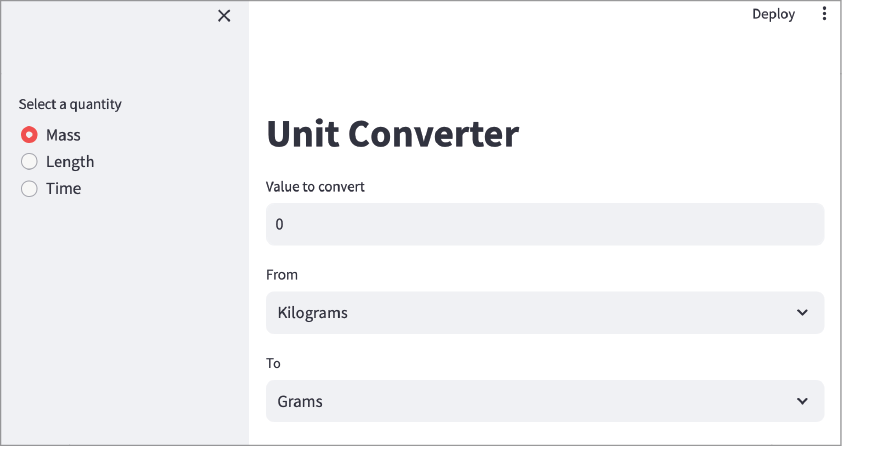
See the unit converter interface with From and To dropdowns. section 3.6.1


How Build Python Web Apps with Streamlit covers it

How deep it goes
Explains options, returned selections, and default indexing, but does not detail widget internals.
Examples
Uses From and To unit selectors with choices such as kilograms, grams, pounds, and ounces.
What you can do after
Apply it via Streamlit’s `st.selectbox` to present options and set an initial selection.
How it connects
Connects dropdowns to radio buttons, configuration files, and frontend-backend data flow.

Also explained in

Compare how 10 books explain dropdown →

Related concepts

This explainer was generated by Manning's knowledge graph from the text of Build Python Web Apps with Streamlit. The section links point to the parts of the book it draws on.







