Documentation generation uses generative AI to turn source code and comments into code documentation, reducing routine writing while leaving developers responsible for accuracy and revision. section 1.7.2 section 2.1.2
A practical workflow is:
- Select code in an editor or ask through a chat window. section 2.1.2
- Use comments, function names, and surrounding project code to provide context. section 2.1.2
- Review, edit, and revise the generated documentation rather than accepting it unchanged. section 3.4
From blank page to reviewed draft
A developer can highlight a Python function and ask GitHub Copilot to document it in the editor or chat window. Copilot produces comments or other code documentation; the developer checks the result and corrects omissions. For broader design documents, ChatGPT can create a first draft in seconds, shifting the work from initial creation to curation. section 2.1.2 section 3.4
Figure 2.8 You can automatically generate comments and other code documentation using Copilot. This is one of my favorite features of the tool, as it saves a tremendous amount of time.
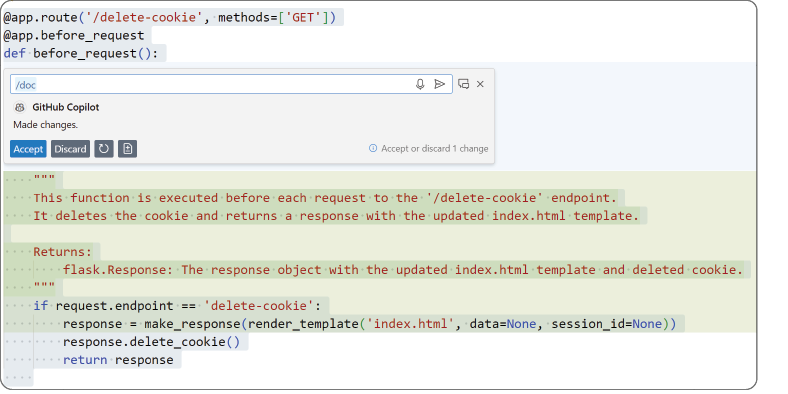
View an example of Copilot automatically generating comments and other code documentation. section 2.1.2
