GitHub Copilot
GitHub Copilot is an AI-powered programming assistant that provides code suggestions, generation, and other software-development assistance based on prompts and programming context.
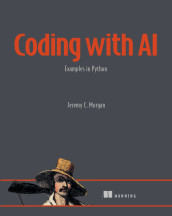
Coding with AI
Copilot Chat is a conversational generative AI tool that answers questions and assists with software-related tasks across web, desktop, and mobile interfaces.
- How it is used
- Supports software questions, code completion, refactoring, and stepwise task attempts through conversational and integrated interfaces.
- How deep it goes
- Demonstrates prompts, suggestions, alternatives, and revisions in a Python task, but stops short of guaranteeing optimization, testing, or validation.
- Examples
- Uses a Python word-frequency application, Project Gutenberg text, file-reading suggestions, and refactoring prompts as concrete examples.
- What you can do after
- Apply it via Visual Studio Code to generate or refactor small Python functions while evaluating and validating every suggestion.
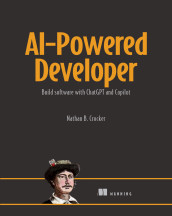
AI-Powered Developer: Build software with ChatGPT and Copilot
Copilot Chat is a conversational interface for GitHub Copilot that provides AI assistance within a development environment.
- How it is used
- Supports iterative, in-IDE questions and contextual suggestions during practical coding and data-management tasks.
- How deep it goes
- Demonstrates prompt-driven database setup and dataset generation, while deferring any detailed account of how the assistant produces responses.
- Examples
- Uses an IT asset-management database with container startup, schemas, users, tables, sequences, and 1,000-row asset datasets.
- What you can do after
- Evaluate/understand how to prompt, inspect, refine, and safely apply conversational coding assistance for database work.
Read how AI-Powered Developer: Build software with ChatGPT and Copilot explains GitHub Copilot →
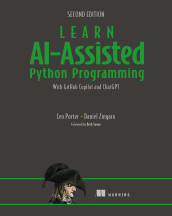
Learn AI-Assisted Python Programming, Second Edition
GitHub Copilot Chat is a conversational interface for GitHub Copilot that supports software-development tasks with natural-language explanations, code, and actions.
- How it is used
- Deploys conversational assistance for explaining code, fixing bugs, selecting modules, and developing automation tools inside VS Code.
- How deep it goes
- Explains practical interactions and validation steps, but stops short of describing Copilot Chat’s internal implementation.
- Examples
- Demonstrates selected-function explanations, word-counting repairs, module selection, file copying, and duplicate-picture detection.
- What you can do after
- Diagnose bugs, explain selected code, choose Python modules, and develop automation tools while checking generated answers.
Read how Learn AI-Assisted Python Programming, Second Edition explains GitHub Copilot →
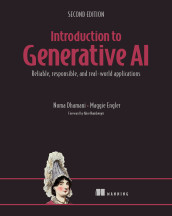
Introduction to Generative AI, Second Edition
GitHub Copilot is an AI programming assistant that generates and suggests source code as developers type.
- How it is used
- Supports developers as an AI pair programmer for code completion, routine implementation, testing, and faster iteration.
- How deep it goes
- Explains the assistant’s workflow and uses, but stops short of implementation details, evaluation procedures, or autonomous software development.
- Examples
- Uses autocomplete, repetitive-code completion, alternative suggestions, comment-to-code conversion, testing, and coding-interview preparation.
- What you can do after
- Apply it through developer tools to draft code faster while reviewing suggestions for correctness, security, transparency, and licensing concerns.
Read how Introduction to Generative AI, Second Edition explains GitHub Copilot →
Automating API Delivery
GitHub Copilot is an AI-powered software development tool that generates code and suggestions from programming context and natural-language prompts.
- How it is used
- Assists developers with code analysis, generation, improvement suggestions, and API linting workflows.
- How deep it goes
- Explains context and prompting, then walks through rule creation, test generation, and lint execution without replacing review.
- Examples
- Uses a Spectral description rule, a failing OpenAPI document, and a Spectral lint command.
- What you can do after
- Apply it via VS Code inline chat to draft and test a Spectral linting rule.
Related concepts
- conversational aikind of · Conversational AI is artificial intelligence that enables software systems to interact with users through natural-language dialogue.
- IDEuses · An integrated development environment (IDE) is a software application that combines source-code editing with tools for developing, building, running, or debugging programs.
- language modeluses · A language model is a computational model that represents patterns in linguistic tokens to estimate their probabilities and predict or generate sequences of them.
- code generationuses · Code generation is the production of program code by transforming inputs such as specifications, models, templates, or existing representations.
- Visual Studio Codeuses · Visual Studio Code is Microsoft’s cross-platform source-code editor, extensible with tools for programming, debugging, and other development workflows.
- ChatGPTalternative to · ChatGPT is OpenAI's conversational AI service, which enables users to interact with AI models through prompts and receive generated responses and other content.
These guides are generated from the text of Manning books by Manning's knowledge graph and link to the sections they draw on. The full books are available on liveBook and at manning.com.