GitHub Copilot Chat is a conversational interface inside VS Code for asking programming questions and receiving natural-language explanations, code, commands, and links. It works with selected code and can use workspace context. section 4.2
Use Copilot Chat to:
- Explain selected Python code with the /explain command or the Explain This menu option. section 4.2
- Diagnose bugs through a conversation, compare the suggested change with the original behavior, and check whether the fix matches the requirement. section 8.3.1
- Identify Python modules for specialized tasks before writing an automation tool, then use functions, correctness checks, bug fixes, and problem decomposition. section 9.2
- Ask about file operations and compare alternative modules while preserving original files during automation. section 9.5.1
Fixing an overly broad word match
A function using if "dan" in word.lower(): counts any occurrence of those characters. Copilot Chat suggests if word.lower() == "dan":, which narrows the test to the whole word but still ignores capitalization. Comparing that result with the intended requirement leads to the stricter if word == "Dan": check. section 8.3.1
Figure 4.1 The code from the best_word function highlighted in the editor
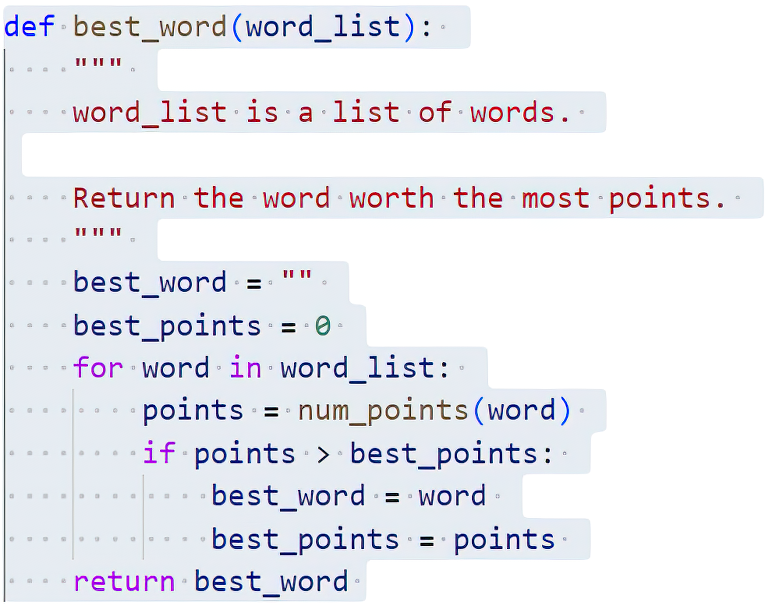
Highlight code in the editor before opening Copilot Chat; the selected best_word function demonstrates the interaction starting point. section 4.2




