The Domain Name System (DNS) maps a website hostname to an IP address. When someone enters a URL, the hostname helps locate the server that receives the browser’s HTTP request. section 1.4.1
A typical request uses DNS as part of this sequence:
- The user navigates to a URL containing a hostname and path. section 1.4.1
- DNS maps the hostname to the server’s IP address. section 1.4.1
- The client connects to that IP address and sends an HTTP request. section 1.4.1
DNS also matters when an application calls another service with HttpClient. HttpClient performs a DNS lookup before establishing a connection. If the DNS record changes, a long-lived client may continue using the originally resolved server. section 33.1
Figure 1.2 Requesting a web page. The user starts by requesting a web page, which causes an HTTP request to be sent to the server. The server interprets the request, generates the necessary HTML, and sends it back in an HTTP response. Then the browser can display the web page.
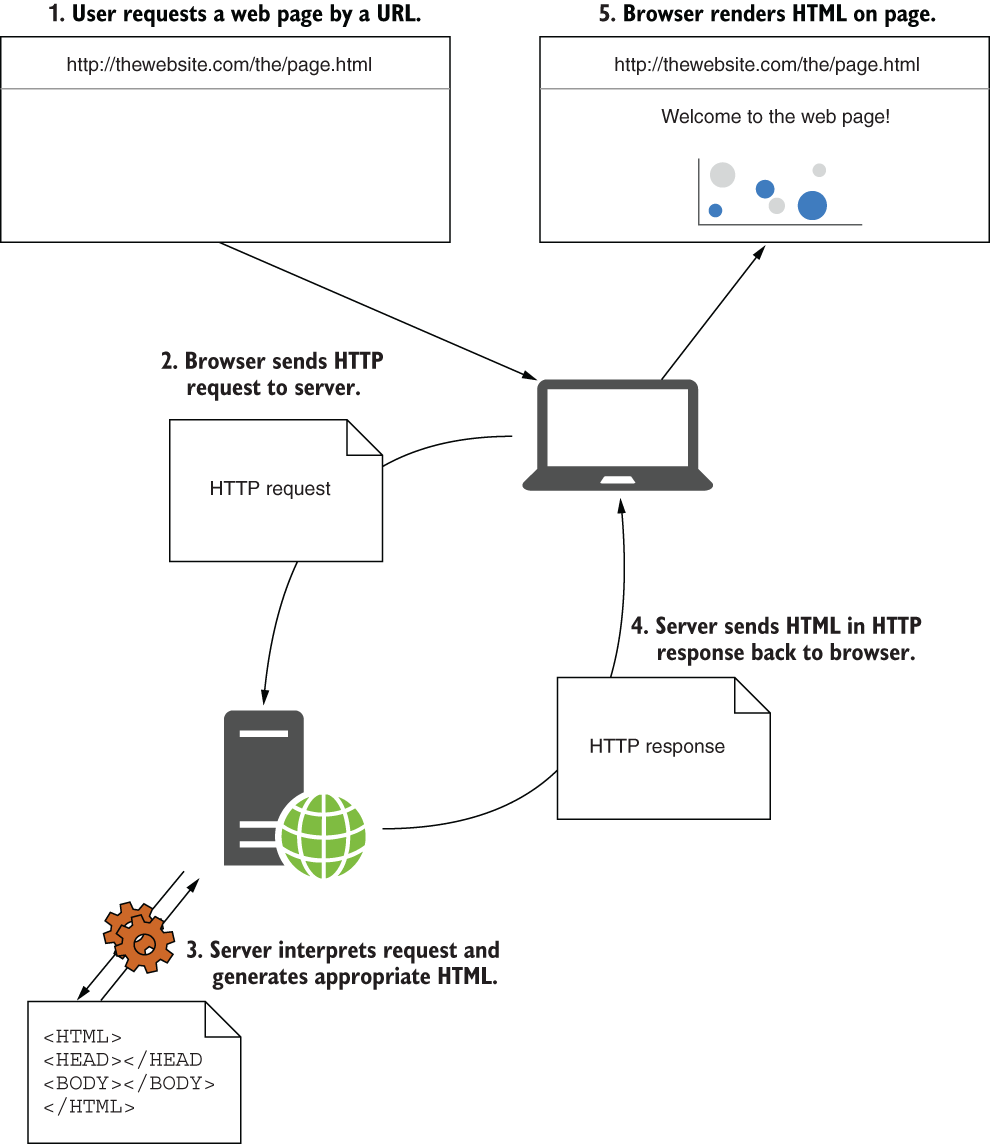
Follow the request from browser navigation through HTTP communication and the server response. section 1.4.1
Figure 33.3 HttpClient does a DNS lookup before establishing a connection to determine the IP address associated with a hostname. If the DNS record for a hostname changes, a singleton HttpClient will not detect it and will continue sending requests to the original server it connected to.
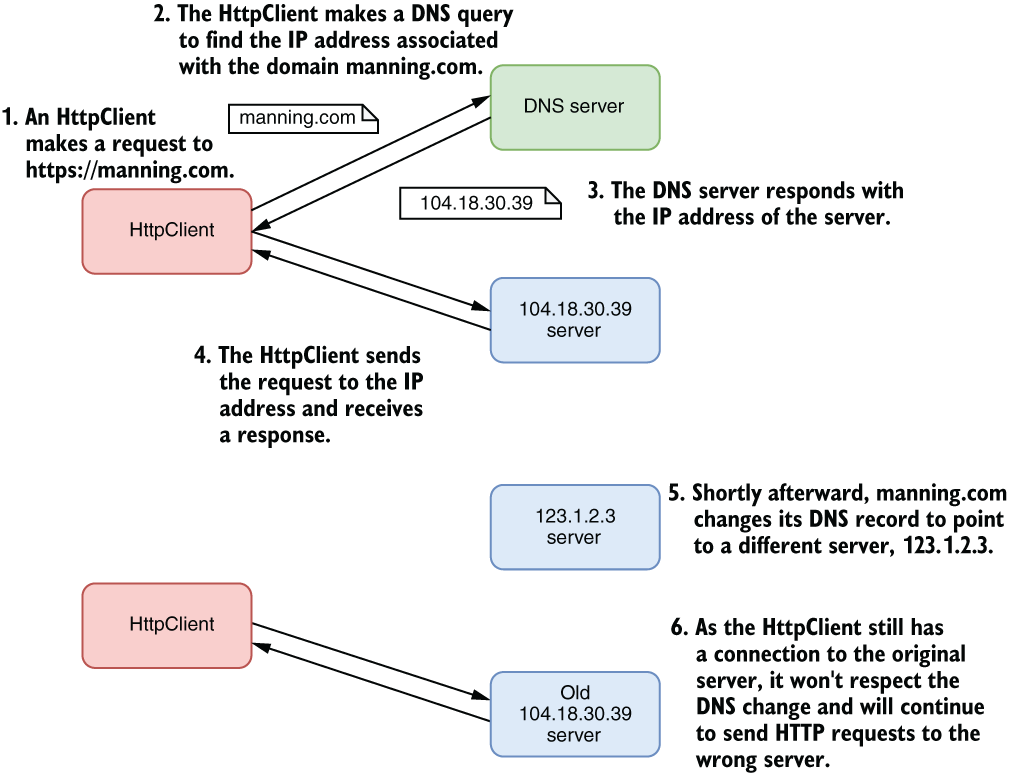
Inspect how HttpClient resolves a hostname before connecting and why DNS changes can affect singleton clients. section 33.1






