DuckDB is an embedded analytical database that runs inside an application, notebook, or command-line process. It queries local and remote structured data without requiring a separate database server, making SQL-based exploration and transformation quick to set up. section 1.1 section 1.2
Figure 1.1 DuckDB and other tools in the ecosystem
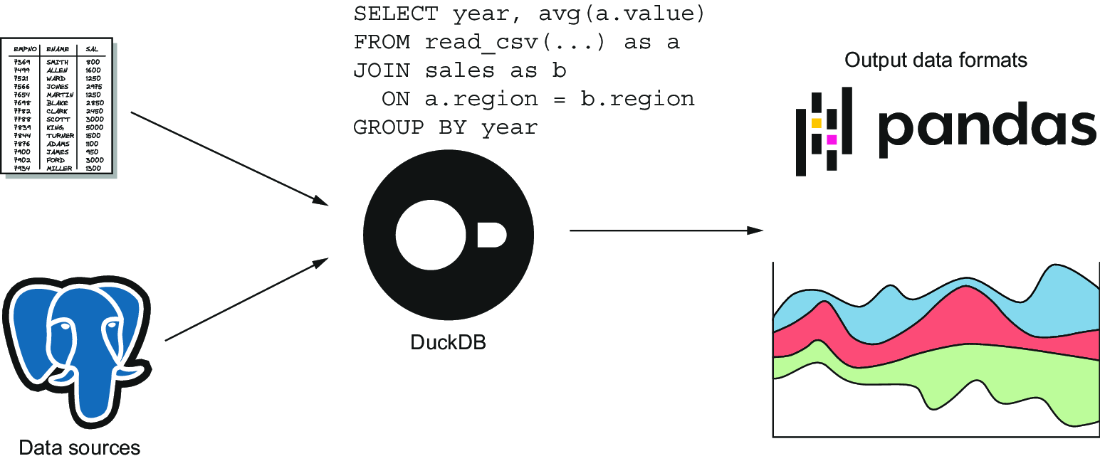
Use the ecosystem view to place DuckDB alongside files, DataFrames, databases, cloud storage, and application interfaces. section 1.1
DuckDB fits workflows that need to:
- Query CSV, JSON, Parquet, and Apache Arrow files, cloud objects, URLs, and selected databases directly. section 1.7.1
- Explore, clean, reshape, aggregate, and convert data with SQL before writing tables, files, reports, or visualizations. section 1.6 section 1.7.4
- Query pandas or Polars DataFrames in place and return results as DataFrames without unnecessary copying. section 1.3 section 6.3
- Process private data locally, reduce cloud transfer, or replace heavier infrastructure for datasets up to a few hundred gigabytes. section 1.2 section 1.3
Query a remote CSV
DuckDB can infer a format from a filename or URL suffix: SELECT count(*) FROM 'https://github.com/bnokoro/Data-Science/raw/master/countries%20of%20the%20world.csv';. When a short URL hides the suffix, specify the reader explicitly: SELECT count(*) FROM read_csv_auto('https://bit.ly/3KoiZR0');. section 2.5
Query a pandas DataFrame
import duckdb; import pandas as pd; people = pd.DataFrame({'name': ['Michael Hunger', 'Michael Simons', 'Mark Needham'], 'country': ['Germany', 'Germany', 'Great Britain']}); duckdb.sql("SELECT * FROM people WHERE country = 'Germany'").fetchdf(). DuckDB treats the DataFrame as a relation and returns matching rows as a DataFrame. section 6.3
Figure 1.3 Using DuckDB in a data pipeline
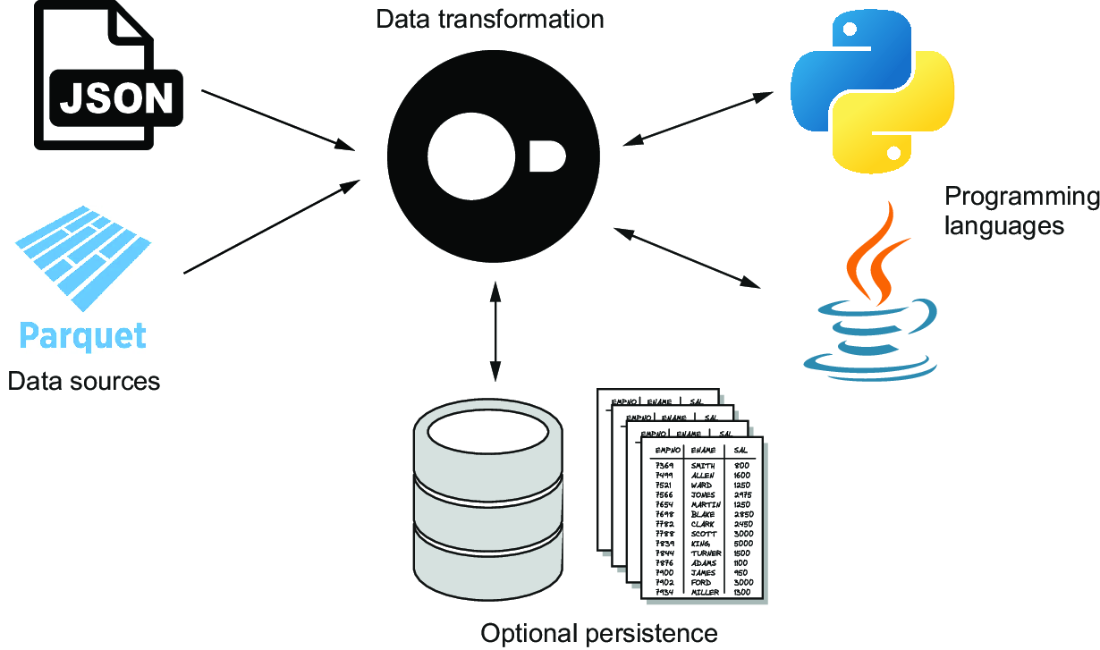
Use the pipeline view to follow the progression from existing files or databases through inspection, incremental SQL, persistence, and consumption. section 1.6
