Font weight is the thickness of a typeface’s character strokes. Families commonly name weights light, regular, and extra bold; they may also number them, such as 300, 400, and 800. Weight seems like a small dial, but it changes how much “ink” text appears to put on the page—and therefore how easily that text can be read and noticed. section 5.1.4 section 5.2.1
For the small labels, axes, captions, and annotations common in data visualizations, regular weight is usually the steady choice. Very thin strokes leave too much white space and can become hard to see. Very heavy strokes crowd out white space and can feel visually aggressive. Reserve the extremes for larger titles and headers; use a heavier small weight chiefly when a specific item needs emphasis. section 5.2.1
Figure 5.8 Three fonts with different weights applied to a paragraph of text (the prologue of William Shakespeare’s Romeo and Juliet, public domain)
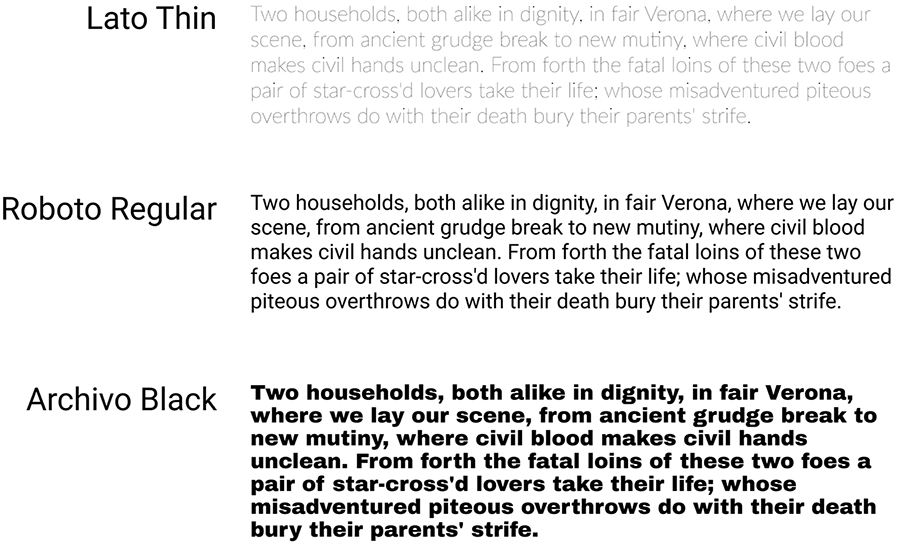
Compare the same paragraph at several weights. The useful middle ground is easier to read because neither sparse strokes nor dense strokes dominate the letterforms. section 5.2.1
Weight is also a form-based contrast signal. A bold word attracts attention, especially when paired with a larger size, so it can establish a visual hierarchy: title first, supporting information later. That power is precisely why it needs restraint. If every label is bold, bold stops saying anything useful. Let the normal text recede and give heavier weight a clear job. section 5.4.2 section 5.2.3
Use weight deliberately in a dashboard or report:
- Set most body copy and routine labels in a readable regular or near-regular weight. section 5.2.1
- Make a title bolder when it needs modest contrast without adding another typeface. section 5.2.3
- Combine a larger size and heavier weight only for high-priority callouts; the combination is hard to ignore. section 5.4.2
- Keep emphasis sparse, so users can tell what deserves their attention. section 5.4.2
A quiet dashboard with a few deliberate pops
A dashboard can keep most 8-point text in Tableau Book, then use Regular weight for a main header and key metric values. In a tooltip, increasing the default text to 10 points improves readability, while Medium weight marks only the words that matter. The result is a hierarchy that works without turning every chart into a shouting contest. section 8.4.3
Figure 5.25 The callout on the gender pay gap viz is larger and bolder than all the rest of the text on the viz. Be very careful when using this type of emphasis because it is incredibly easy to overdo!
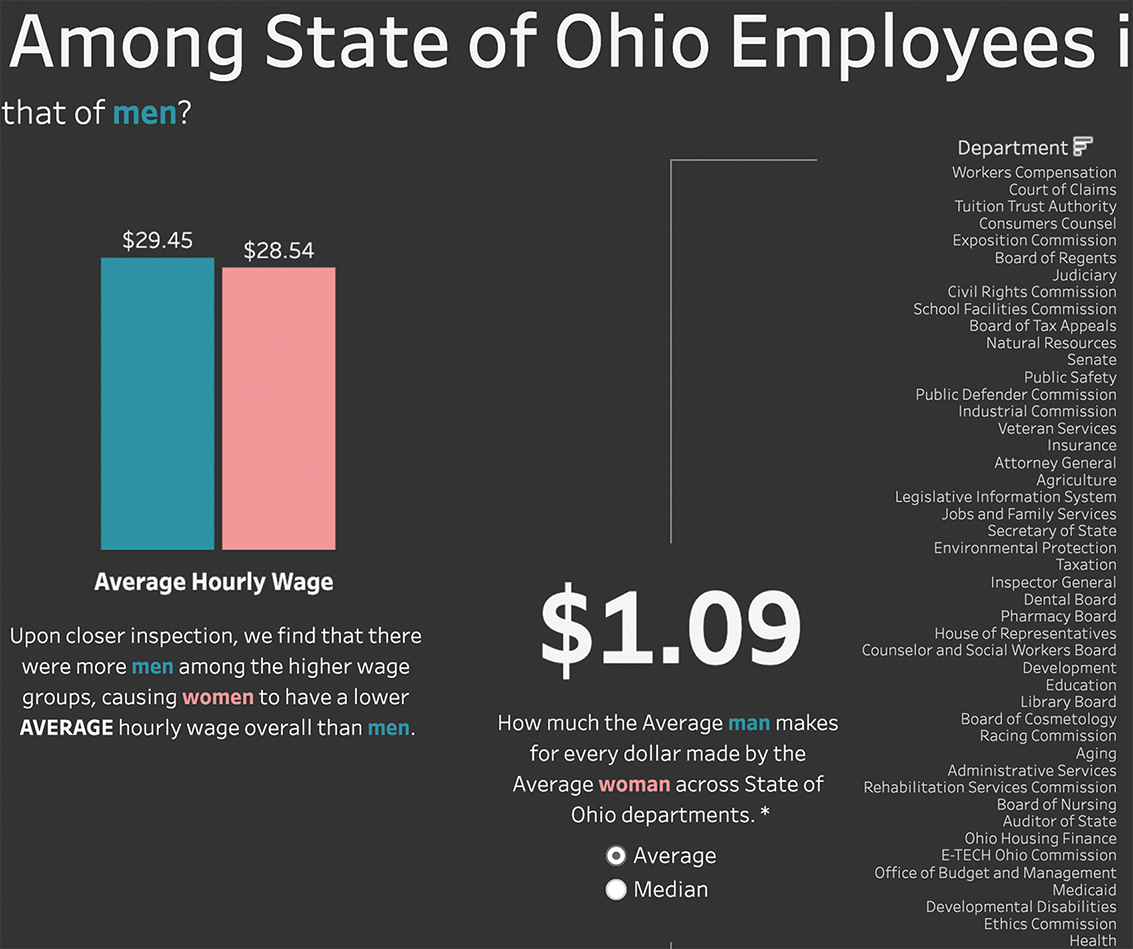
The callout uses both larger size and bolder weight than nearby text. It demonstrates why combined contrast is effective—and easy to overuse. section 5.4.2


