The FromQuery attribute directs ASP.NET Core model binding to read a parameter from the request query string. It overrides the normal source-search sequence, so route, form, and other locations are not consulted for that parameter. section 28.6
Use FromQuery when the request-processing behavior should be explicit:
- Apply it to an action parameter, such as `Index([FromQuery] long? id)`, to prefer the query-string value when both the route and query string contain `id`. section 28.6
- Set `Name` when the query-string key differs from the parameter or property name. section 28.6
- Apply it to a page-model property to bind arrays or complex objects from query-string keys such as `data[0].name` and `data[0].price`. section 28.6.1
Choosing the query value over the route value
With `public async Task<IActionResult> Index([FromQuery] long? id)`, requesting `/controllers/form/index/5?id=1` binds `id` as `1`, not `5`. If the query string has no suitable value, another location is not used for that parameter. A GET-based supplier breakout similarly uses FromQuery because the originating page and return information are encoded in the query string. section 28.6 section 31.4.2
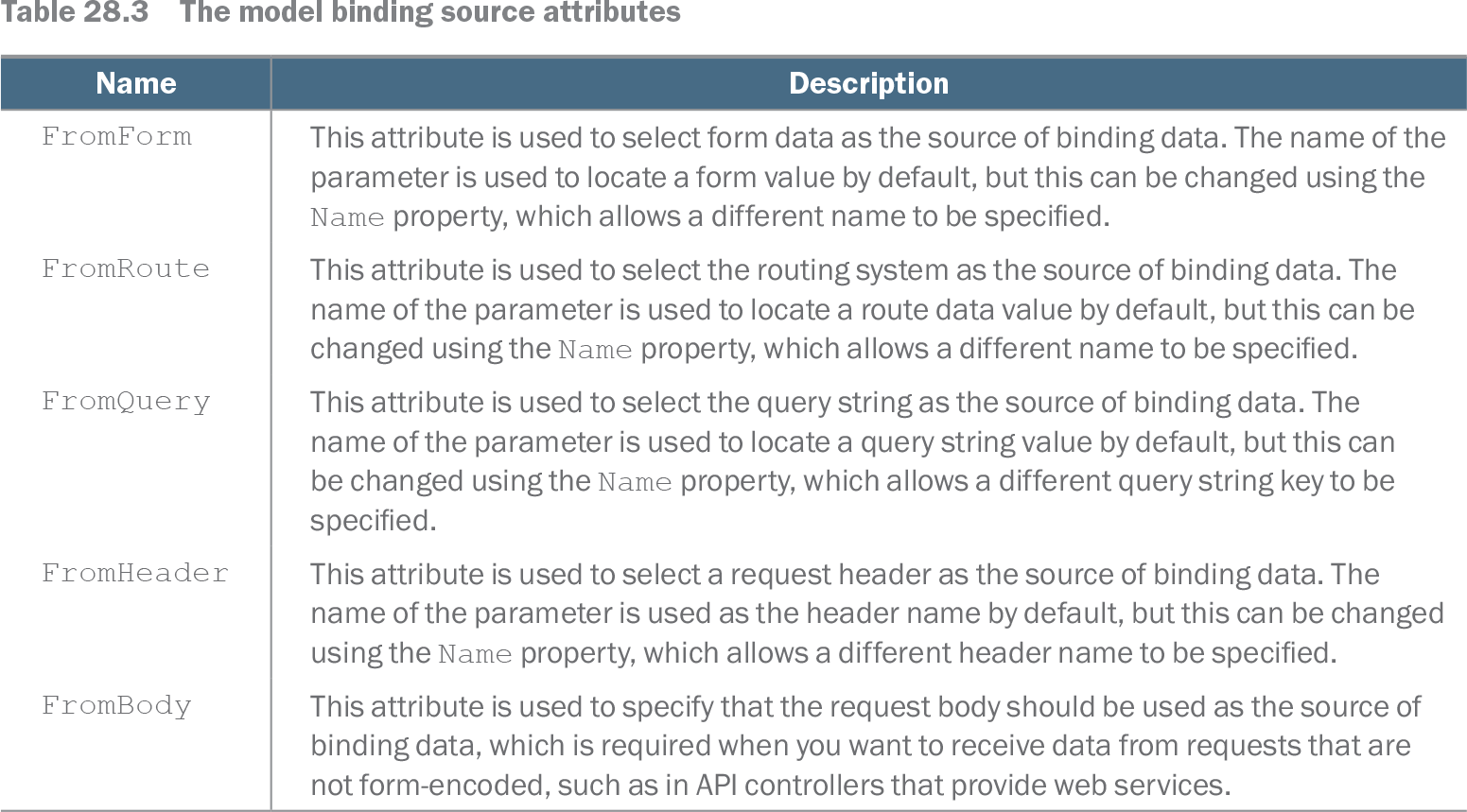
Table 28.3 The model binding source attributes (view table figure)
| Name |
Description |
|---|---|
| FromForm |
This attribute is used to select form data as the source of binding data. The name of the parameter is used to locate a form value by default, but this can be changed using the Name property, which allows a different name to be specified. |
| FromRoute |
This attribute is used to select the routing system as the source of binding data. The name of the parameter is used to locate a route data value by default, but this can be changed using the Name property, which allows a different name to be specified. |
| FromQuery |
This attribute is used to select the query string as the source of binding data. The name of the parameter is used to locate a query string value by default, but this can be changed using the Name property, which allows a different query string key to be specified. |
| FromHeader |
This attribute is used to select a request header as the source of binding data. The name of the parameter is used as the header name by default, but this can be changed using the Name property, which allows a different header name to be specified. |
| FromBody |
This attribute is used to specify that the request body should be used as the source of binding data, which is required when you want to receive data from requests that are not form-encoded, such as in API controllers that provide web services. |
Compare FromQuery with FromForm and FromRoute, including each attribute's default name lookup and Name override. section 28.6