Frontend development concerns the visitor-facing portion of a website: the public area rendered for interaction in a web browser. It differs from the backend, where administrators build, maintain, and improve the site. section 2.3
Use the frontend and backend as two connected views of a WordPress site:
- Open the frontend by visiting the domain name, such as https://mysitesname.com. section 2.3
- Open the backend by appending /wp-admin to the domain, then bookmark the address for site work. section 2.3
- Remove /wp-admin whenever you want to return from administration to the public frontend. section 2.3
- Keep unfinished pages private by discouraging search indexing and activating a coming-soon plugin; administrators can still preview the real frontend. section 2.4
A site under construction
After installing WordPress, open Settings > Reading, select Discourage Search Engines from Indexing This Site, and save the change. Then install and activate Website Builder by SeedProd through Plugins > Add New. Visitors see a construction message, while the administrator can inspect the actual frontend. section 2.4
Figure 2.1 In your Settings > Reading screen, discourage search engines from judging your site-in-progress.
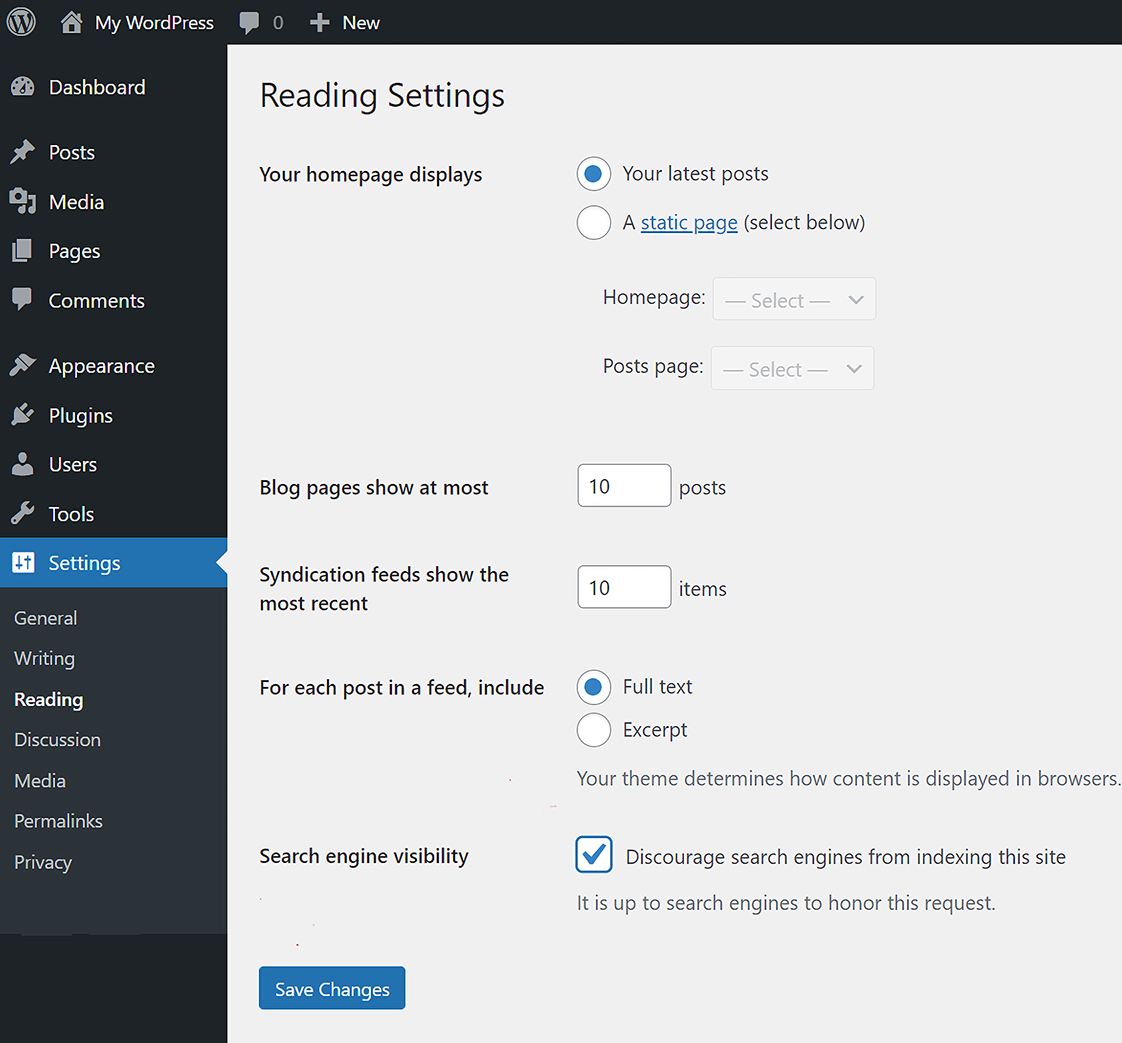
Use the settings-screen reference to locate the control that discourages search engines from indexing a site in progress. section 2.4


