GitHub
GitHub is a web-based platform for hosting Git repositories and supporting collaborative software development.
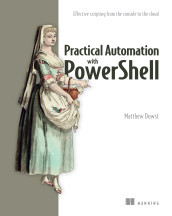
Practical Automation with PowerShell: Effective scripting from the console to the cloud
GitHub is a web platform for hosting, collaborating on, and distributing software source code through version-controlled repositories.
- How it is used
- Shares and maintains team PowerShell modules through a remote, version-controlled codebase.
- How deep it goes
- Walks through repository initialization, staging, committing, remote creation, and pushing rather than Git internals.
- Examples
- Demonstrates publishing and synchronizing a private PoshAutomator module containing Get-SystemInfo.
- What you can do after
- Operate/configure a private GitHub repository by committing a local PowerShell module and pushing its main branch.

Lead Developer Career Guide
GitHub is a web platform for hosting, versioning, reviewing, and collaborating on software repositories.
- How it is used
- Uses GitHub to find open-source projects, collaborate, review code, and demonstrate workplace-ready development skills.
- How deep it goes
- Explains GitHub as a collaboration platform and gives contribution steps, but stops short of technical implementation details.
- Examples
- Uses public repositories, bug reports, code changes, pull requests, libraries, frameworks, and small starter tasks.
- What you can do after
- Apply it via GitHub by selecting a project, reading documentation, contacting maintainers, and contributing a manageable change.

GitHub Actions in Action: Continuous integration and delivery for DevOps
GitHub.com is GitHub's publicly hosted software development and collaboration platform.
- How it is used
- Coordinates repository collaboration and provides the foundation for GitHub Actions workflow automation.
- How deep it goes
- Explains Git’s distributed snapshot model and outlines platform capabilities, APIs, hosting, and pricing without detailing API implementation.
- Examples
- Uses CI, CD, and custom automation tasks as GitHub Actions workflow scenarios.
- What you can do after
- Apply it via GitHub Actions to automate CI/CD and custom repository workflows while considering tier limits.
Read how GitHub Actions in Action: Continuous integration and delivery for DevOps explains GitHub →

Effective Platform Engineering
GitHub is a hosted platform for version control, collaborative software development, and repository-based project management.
- How it is used
- Provides organizational identity, team-based access management, and integration points for an internal engineering platform.
- How deep it goes
- Explains organization and team setup, credentials, integrations, and authorization flow, while deferring complete identity-provider implementation.
- Examples
- Uses a GitHub organization, platform-team team, signed commits, CircleCI integration, and team-driven infrastructure access.
- What you can do after
- Configure organizations and teams, secure developer access, and connect team membership to SaaS and platform permissions.

Road to Kubernetes
GitHub is a web-based platform for hosting, collaborating on, and managing software repositories with version control.
- How it is used
- Stores application code remotely and provides the foundation for sharing changes and triggering deployment automation.
- How deep it goes
- Explains account creation, repository setup, and pushing existing code, while deferring broader GitHub features and automation details.
- Examples
- Uses separate repositories for recurring Python and JavaScript web applications.
- What you can do after
- Operate Git and GitHub to create repositories and push existing application code for remote storage and sharing.

"Looks Good to Me"
A web platform for hosting Git repositories and collaborating on software development, including pull-request workflows.
- How it is used
- Supports unified Git code management and built-in pull-request workflows for collaborative code review.
- How deep it goes
- Defines GitHub’s review role and compares practical trade-offs, but stops short of detailed workflow instructions.
- Examples
- Uses built-in pull requests and a comparison table covering GitHub, GitLab, Gerrit, and Crucible.
- What you can do after
- Evaluate GitHub against team requirements when selecting a code-review and repository-management tool.
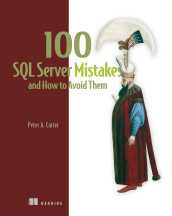
100 SQL Server Mistakes and How to Avoid Them
GitHub is a hosted software-development platform for storing Git repositories and collaborating on code changes.
- How it is used
- Stores application code centrally and supports collaborative development, recovery, rollback, and controlled merging.
- How deep it goes
- Demonstrates repository setup and branching but stops short of detailed conflict resolution or deployment workflows.
- Examples
- Uses the MagicChoc recovery failure, a SQL Server Database project, and Visual Studio’s Git Changes workflow.
- What you can do after
- Operate/configure GitHub by creating a repository, applying a gitignore template, creating branches, and preparing changes for merging.
Read how 100 SQL Server Mistakes and How to Avoid Them explains GitHub →
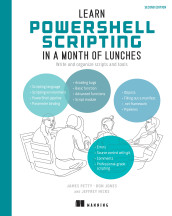
Learn PowerShell Scripting in a Month of Lunches, Second Edition: Write and organize scripts and tools
GitHub is an online platform for hosting, sharing, and collaboratively managing software repositories.
- How it is used
- Connects local Git projects to hosted repositories for sharing, backup, and collaboration.
- How deep it goes
- Explains repository creation, remote configuration, pushing, fetching, pulling, and cloning, but defers advanced pull-request workflows.
- Examples
- Uses the MyPSTool repository, remote commands, status output, push results, and cloning a SharePoint tools repository.
- What you can do after
- Operate GitHub through Git commands to publish, synchronize, and clone software repositories.
Related concepts
- repositoryuses · A software repository is an organized storage location or collection of project files and related artifacts, often managed with version history and change tracking.
- gituses · Git is a distributed version-control system that records changes to files and supports managing project history and collaboration across repositories.
- versioninguses · The practice of identifying and managing successive revisions of files, data, models, interfaces, or other artifacts so changes can be tracked and earlier states recovered.
- pull requestuses · A pull request is a version-control proposal to integrate changes from one branch or repository into another, typically supporting review and discussion before merging.
These guides are generated from the text of Manning books by Manning's knowledge graph and link to the sections they draw on. The full books are available on liveBook and at manning.com.