GitHub is a cloud platform for storing, sharing, and collaborating on software code through remote repositories. It supports private and public projects and connects Git-based work with automation workflows. section 2.4 section 2.3
A practical GitHub workflow proceeds in three steps:
- Create a GitHub account. section 2.4.1
- Create one repository for each application, keeping projects separate rather than combining them into an overly complex repository. section 2.4.2
- Connect the local Git repository to GitHub and push the existing project through the repository’s Quick Setup instructions. section 2.4 section 2.4.2
Two applications, two repositories
A Python web application and a JavaScript web application each receive their own GitHub repository. Their local Git histories remain the source of the upload, while GitHub provides remote storage and a place to share changes. section 2.4.2 section 1.2
Figure 2.11 Creating a repository on GitHub
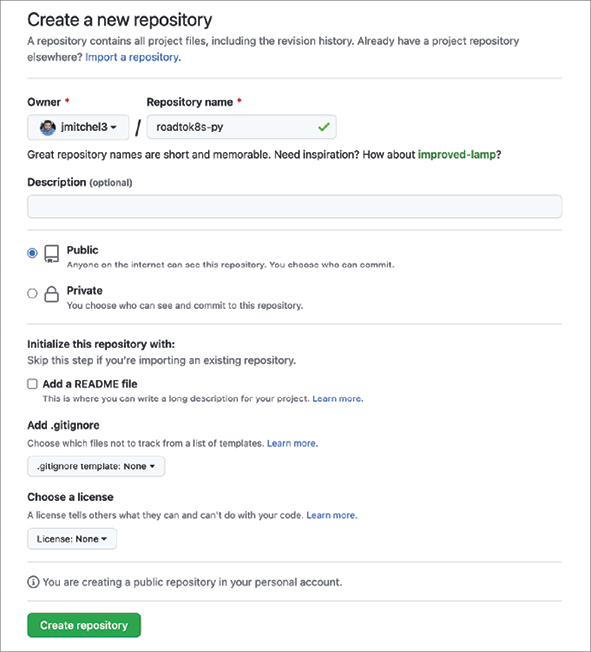
Use the repository-creation figure to recognize the GitHub settings needed before connecting a local repository. section 2.4.2







