A hybrid session combines remote participants with people sharing a physical location. In collaborative modeling, this arrangement creates communication, technology-access, and participation challenges that can make facilitation difficult. section 5.5
The preferred approach is to conduct the session entirely in person or entirely online. If a hybrid format is unavoidable, give every in-person participant an individual laptop and headphones, effectively making everyone join remotely. section 5.5 section 4.2.2
When preparing an unavoidable hybrid session:
- Provide a shared whiteboard with its agenda, usage tips, and an initial structure that reduces empty-space paralysis. section 4.2.2
- Use a check-in and sensemaking exercise to lower participation barriers and make conversations easier to start. section 4.2.2 section 4.3.5
- Watch for uneven participation and weak signals, including who speaks first, places the first dot, or remains muted. section 4.3.5
Figure 4.4 An example of whiteboard tips for the participants. These tips are for Miro specifically, but you can do this when using another whiteboard too.
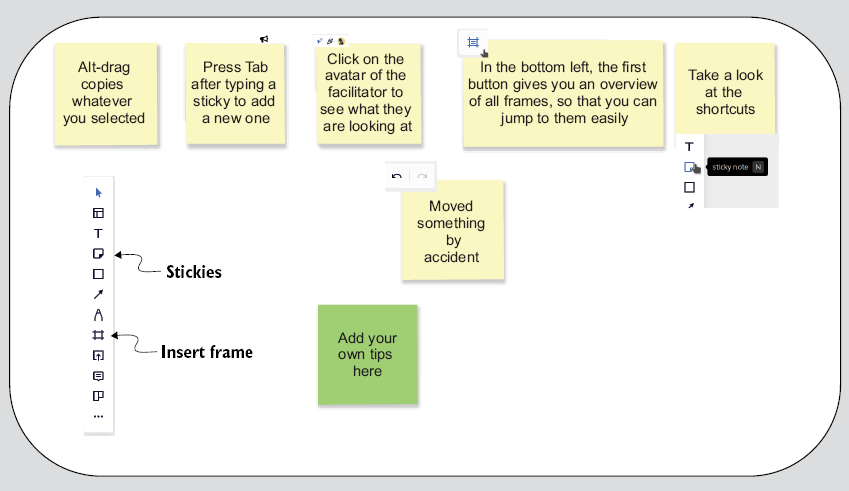
Use the whiteboard-tip example to prepare participants for the collaboration tool before the session begins. section 4.2.2
