A remote session is a collaborative activity in which participants work from separate locations through digital technology. In collaborative modeling, the facilitator must deliberately replace missing physical proximity with clear agreements, visible participants, and a structured digital workspace. section 4.2.2 section 5.5
Prepare the session to reduce participation barriers and compensate for weaker social and nonverbal signals:
- Set up a digital whiteboard before participants arrive, and add a few stickies so an empty workspace does not discourage participation. section 4.2.2
- Agree on camera use at the start, explain legitimate exceptions, and keep the group visible on a separate screen from the whiteboard. section 5.5.2
- Look actively for weak signals, because cameras reveal less body language, facial expression, gaze, intonation, and group forming than an in-person room. section 5.5.2
- Use breaks thoughtfully: remote facilitators lose informal conversations that can reveal group dynamics, even though digital artifacts make outcome documentation easier. section 5.5.1
When a session must be hybrid
Avoid splitting the group between a room and an online space when possible. If hybrid participation is unavoidable, have everyone—including people in the room—use headphones and individual desks so communication happens on equal terms. section 5.5
Figure 4.4 An example of whiteboard tips for the participants. These tips are for Miro specifically, but you can do this when using another whiteboard too.
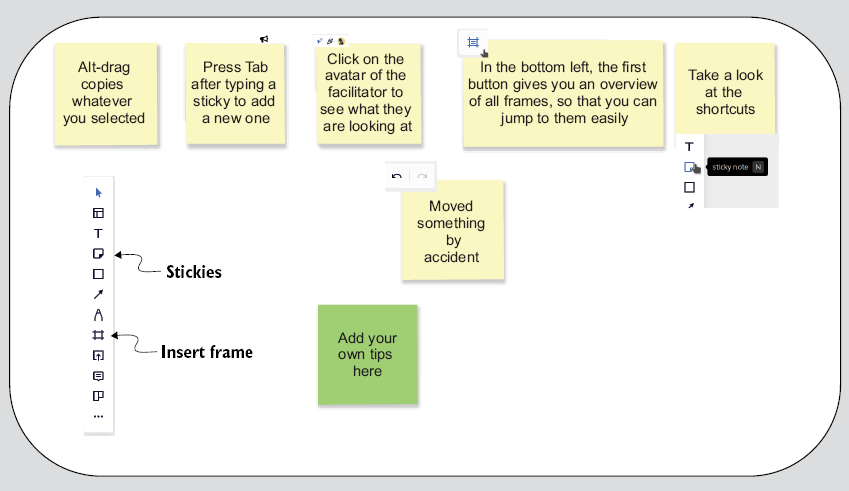
Use the whiteboard tips as a participant-facing orientation for navigating Miro or another digital whiteboard. section 4.2.2
Figure 4.5 Counteract the “empty space” paralysis by adding some stickies to the whiteboard during a remote collaborative modeling session.
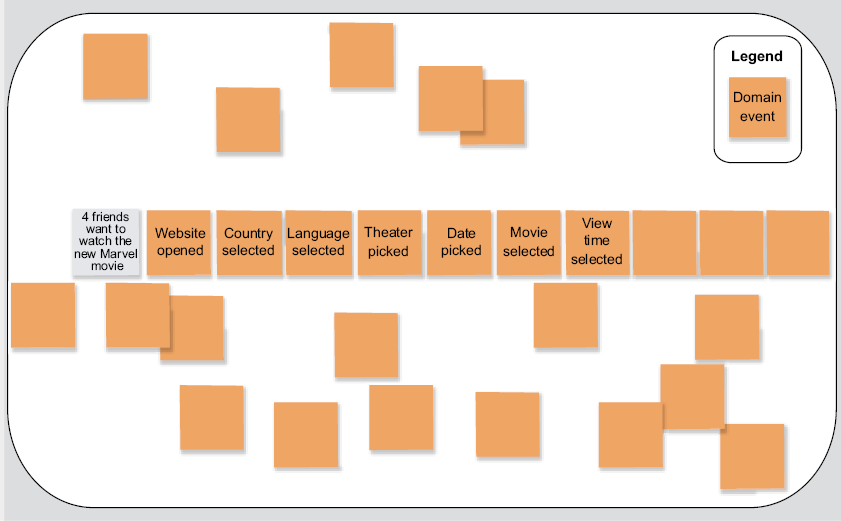
Use the example of prepopulated stickies to counteract empty-space paralysis and invite early interaction. section 4.2.2
