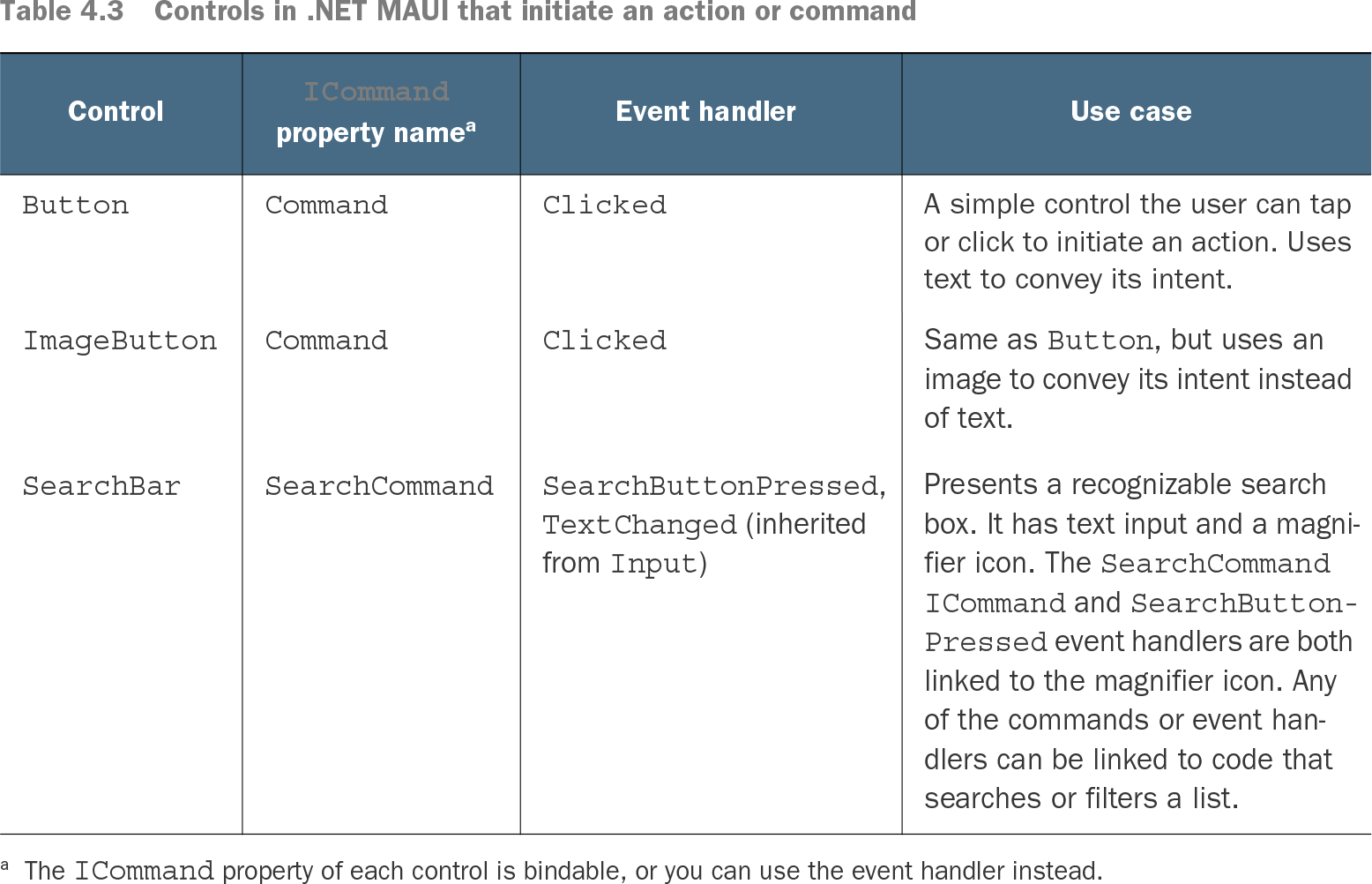
ICommand represents an executable action that a .NET MAUI control can invoke. Controls expose bindable ICommand properties, while event handlers provide a code-behind alternative. section 4.2.3
Table 4.3 Controls in .NET MAUI that initiate an action or command (view table figure)
| ICommand property name1 |
|||
|---|---|---|---|
| A simple control the user can tap or click to initiate an action. Uses text to convey its intent. |
|||
| Same as Button, but uses an image to convey its intent instead of text. |
|||
| Presents a recognizable search box. It has text input and a magnifier icon. The SearchCommand ICommand and SearchButtonPressed event handlers are both linked to the magnifier icon. Any of the commands or event handlers can be linked to code that searches or filters a list. |
Use the control table to choose between command-enabled controls such as Button, ImageButton, and SearchBar, and to match each command property with its user action. section 4.2.3
Commands become especially useful with MVVM. Instead of handling a CheckBox event in the page, place the action in a ViewModel and bind controls to command properties. Command supplies Execute code through a function or lambda, and a generic Command<T> can receive the affected item as a parameter. section 9.1
Commands in a todo ViewModel
A MainViewModel can expose AddTodoCommand and CompleteTodoCommand as ICommand properties. Its constructor assigns AddTodoCommand = new Command(async () => await AddNewTodo()) and CompleteTodoCommand = new Command<TodoItem>(async (item) => await CompleteTodo(item)). XAML controls then bind to these ViewModel properties, while the page's code-behind only sets its BindingContext.