Malicious code is software intentionally designed to damage systems, disrupt operations, or gain unauthorized access to data or resources. Email is a common route for spreading malware, often through phishing. section 7.1.3
Treat suspicious messages as possible entry points for malicious code:
- Be cautious when an unexpected message asks you to click a link or provide sensitive information. section 7.1.3
- Inspect the email’s source text and headers, even when the visible message appears legitimate. section 7.1.3
- Use AI to identify phishing indicators, but verify the result before acting. section 7.1.3
Analyzing a suspicious email
Copy the email’s source text and headers into an AI service and ask whether the message is a phishing attempt. The analysis can identify failures in SPF and DKIM authentication protocols. section 7.1.3
Figure 7.2 Finding the source text and headers of an email in Outlook for Mac and PC
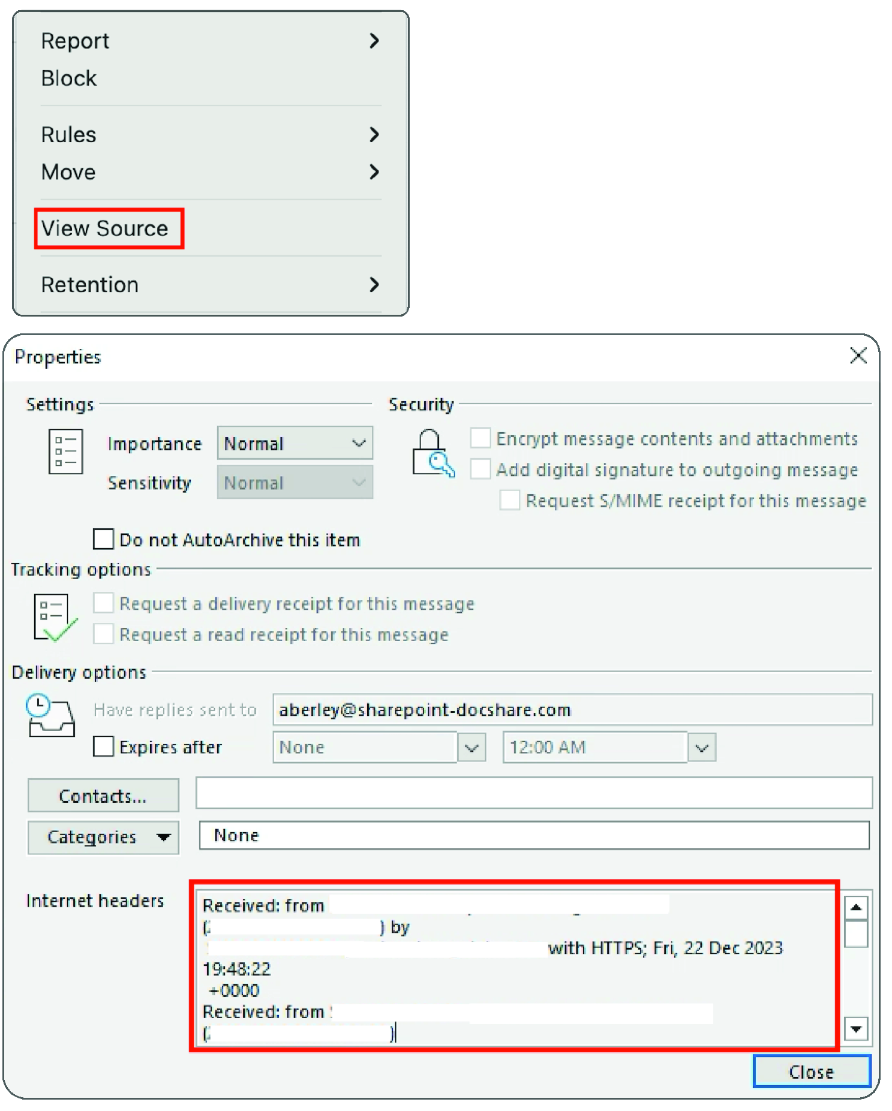
Shows where to find email source text and headers in Outlook for Mac and PC. section 7.1.3
Figure 7.3 M365 Copilot analysis of email source text
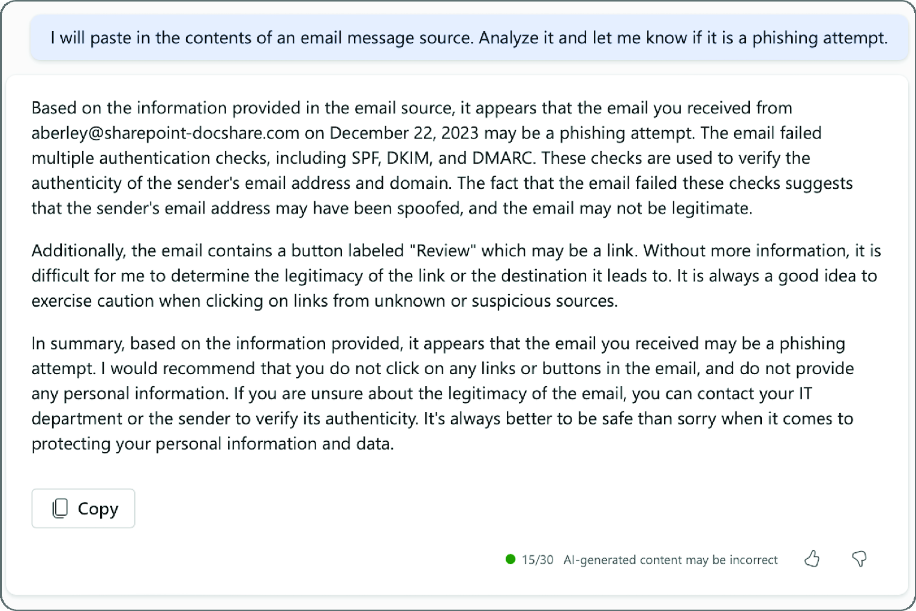
Shows M365 Copilot analyzing pasted email source text for phishing signs. section 7.1.3


