Microsoft Outlook is an email client that can support AI-assisted inbox management and workplace notification workflows. It helps reduce email overload by summarizing conversations, improving drafts, and routing selected messages to team channels. section 7.1 section 7.3.1
A practical Outlook-to-Teams workflow involves:
- Create a rule that routes matching messages to a dedicated Outlook folder. section 7.3.1
- Configure the workflow trigger to monitor that folder and, if needed, filter by sender. section 7.3.1
- Post the resulting message as a user to a Teams channel or group chat. section 7.3.1
Team alert workflow
Route messages sent to a group address into an Outlook folder. Configure a workflow to analyze new messages there, then post the output to a shared Teams channel instead of receiving individual bot messages. section 7.3.1
Figure 7.11 Choosing the email folder to monitor
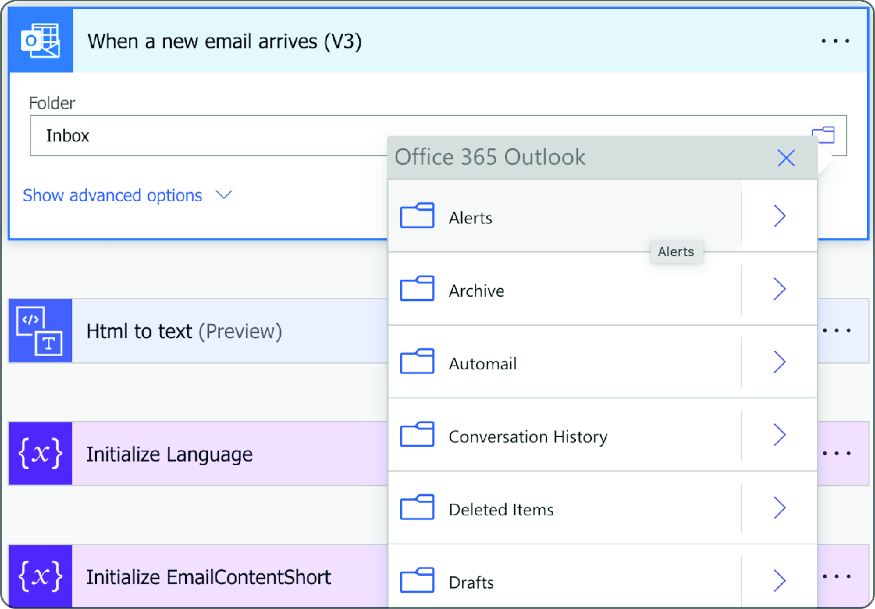
View the folder-selection step for a workflow that monitors Outlook email. section 7.3.1
